How to Embed Video Testimonials on Your Website
Learn how to embed video testimonials on website pages in 10 minutes, boost conversions without slowing speed, and use tools like share.one to simplify setup.
If visitors on your site watched a real client talk for 60 seconds about why they’d choose you again tomorrow, how much would that change your close rate, 10%, 30%, more? People who watch testimonials are more likely to convert, and 90% say they trust other customers way more than anything a brand says, which is exactly why video testimonials punch so far above text reviews in crowded fields like healthcare, finance, and real estate. In the next few minutes you’ll see how to embed video testimonials on website without breaking your site speed, where to place them for maximum conversions, and how a video testimonial service like Share One help you skip the tech headaches and go straight to “this just booked us three new clients this week.”
Key Takeaways
- When you embed video testimonials on your website, you let real customers handle half the sales conversation, collapsing doubt and building trust far faster than text reviews.
- Use the right embed format—widget, single hero video, or testimonial wall—to match how many videos you have and where they’ll have the biggest impact on conversions.
- Place video testimonials strategically on homepage heroes, key service and pricing pages, and near forms or checkouts to calm last‑minute hesitation and lift completion rates.
- Protect site speed by using thumbnail click‑to‑play, lazy loading, compression, and responsive players so your video testimonials boost engagement without slowing the page.
- Support SEO by surrounding each embedded testimonial with relevant copy, adding short written result highlights, and optionally using VideoObject and review schema markup.
- Full‑service tools like share.one simplify the entire process—from capturing authentic stories to generating fast, mobile‑friendly embeds—so you can get testimonials live in minutes instead of months.
Why Embedding Video Testimonials Works (When Done Right)
When you embed video testimonials on your website, you’re letting your best clients sit down with your future clients and handle half the sales conversation for you.
They don’t feel like “marketing.” They feel like, “Oh, this person is just like me… and they’re happy.”
A few reasons they work so well:
- They collapse doubt in seconds. A nervous patient hearing another patient calmly describe a smooth surgery experience, or a first‑time homebuyer talking about how your team explained every step, does more than three paragraphs of copy ever could.
- They humanize your brand. Real faces, real voices, tiny imperfections. That slight pause before someone says, “Honestly, I was scared at first…” is exactly what makes them believable.
- They boost your SEO quietly in the background. People stay longer to watch, click around more, and bounce less. That extra dwell time is a strong positive signal to Google.
The catch: you only get these benefits if you embed them well.
Slow, clunky embeds that shove giant autoplay videos above the fold? Those can tank your load speed, annoy visitors, and hurt conversions.
Your goal: show proof without slowing the experience. The rest of this guide walks you through how to do that step by step, without needing a developer on speed dial.
Fastest Ways to Embed Video Testimonials on Website (Choose One)

Here’s the good news: you don’t have to rebuild your site to get video testimonials live.
Pick one of these options and you can be done in about 10 minutes.
Embed as a Video Testimonial Widget (Recommended)
Think of a widget as a smart “social proof strip” you drop into your page.
You paste one small code snippet, and it:
- Pulls in your latest video stories
- Handles layout for desktop and mobile
- Lets you update videos from a dashboard instead of touching code again
Most modern video testimonial tools (including full‑service options like Share One) give you a video testimonial widget embed by default. It’s usually the fastest and safest option, especially if you’ve got multiple videos and want them to stay fresh.
Embed a Single Video (Hero Proof)
Sometimes you just need one heavy‑hitter story.
For example:
- A finance firm featuring a business owner who grew cash flow in 6 months
- A real estate brokerage showing a first‑time buyer closing under asking
- A dental clinic highlighting a patient who finally fixed a long‑term issue
You drop this single video near your main call‑to‑action, homepage hero, pricing section, or key landing page.
Use a thumbnail + click‑to‑play setup instead of loud autoplay. It keeps your page fast and gives visitors control.
If you’re using YouTube or Vimeo, you’ll get a simple iframe embed. It’s fine for one video, as long as you follow the speed tips later.
Embed a Grid or Testimonial Wall
A testimonial wall is like a gallery of “people like me.”
It’s perfect when you:
- Serve different niches (first‑time buyers, downsizers, investors)
- Have multiple service lines (cosmetic vs. restorative, personal vs. business finance)
- Want to show volume: not just one happy client, but dozens
You can build a grid manually, but it’s easier to use a widget that supports wall layouts and lazy loading. That way, visitors see a clean, scannable set of faces and can click into the stories that feel closest to their own.
Embed Video Testimonials on Landing Pages
Landing pages are where video testimonials earn their keep.
A few simple rules:
- Put your best video close to the main offer. If the page is about “Schedule a free consultation,” the testimonial should talk about the consultation.
- Keep checkout and form flows clean. You want supportive proof, not distraction.
- Match the story to the intent. A nervous new patient shouldn’t be watching a technical talk geared toward surgeons.
One quick win: take your top‑performing ad or email angle and mirror it in a testimonial video right on the landing page. Same promise, but now a real person is backing you up. Once you know how to embed, placement becomes the next decision, and your homepage is where it matters most. This homepage testimonial strategy guide maps out which section of your homepage each type of proof should live in and why.
Step-by-Step: How to Embed Video Testimonials (10-Minute Checklist)
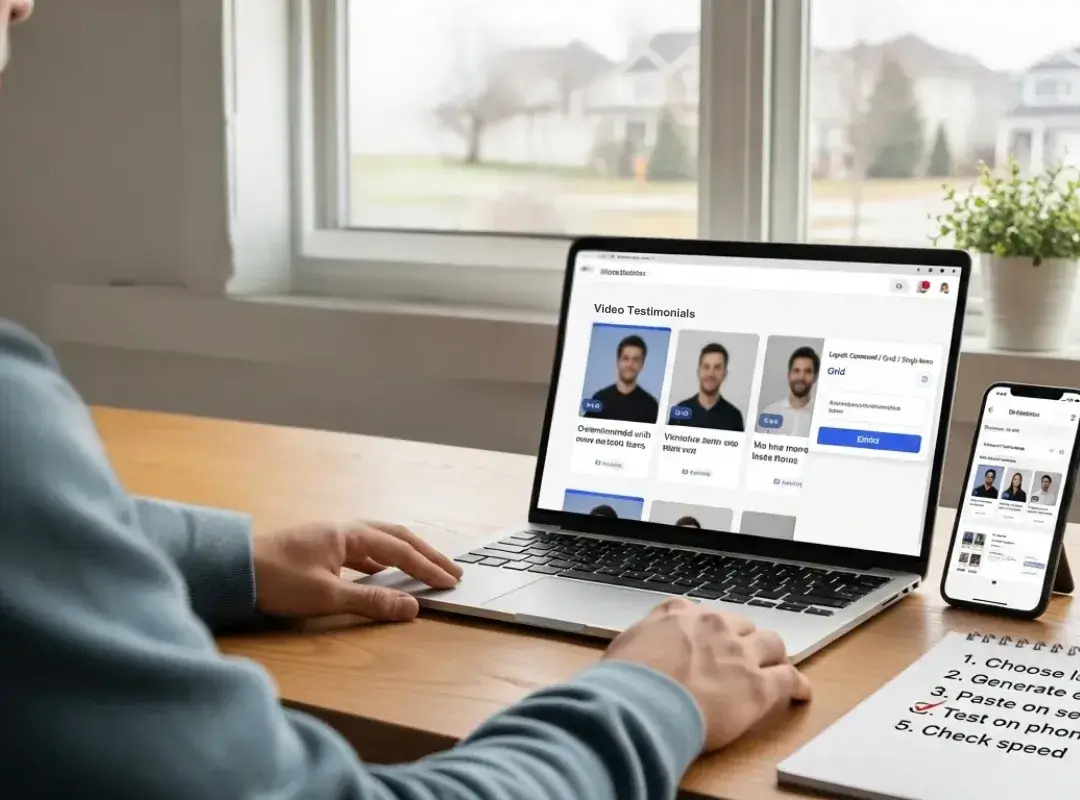
Let’s make this simple.
Set a timer for about 10 minutes and walk straight down this list.
Step 1: Choose Your Embed Method
First decision: widget, single hero video, or wall/grid.
Ask yourself:
- Do you already have several strong testimonials? → Go widget or wall.
- Do you have one absolute rockstar story? → Go single hero video.
- Do you want “set it and forget it” updates? → Go widget with a good tool.
If you’re using a full‑service platform like share.one, they’ll usually recommend a starting layout for you based on your traffic and pages.
Step 2: Collect and Prepare Testimonial Videos
Don’t overcomplicate this part.
Aim for:
- Length: 45–120 seconds. Long enough for a story, short enough to be bingeable.
- Format: Standard HD (1080p) horizontal or vertical depending on your site design. Most tools handle both.
- Content: Start with the pain, then the result. “I was overwhelmed with options… now I’ve got a clear plan and more leads than we can handle.”
Authenticity beats perfection every time.
A slightly shaky iPhone video with honest emotion will run circles around a stiff, over‑scripted studio shoot.
Step 3: Generate the Testimonial Embed Code
Here’s where best video testimonial software 2025 options really separate themselves.
Good platforms make this part a two‑click job:
- Choose your layout (carousel, grid, single video).
- Click “Embed” and copy the small code snippet they give you.
Under the hood, that code either:
- Loads a small script that pulls in videos and styles (widget), or
- Injects a simple iframe player (YouTube/Vimeo style).
You don’t need to know the difference to use it, but it matters for speed, which we’ll cover shortly.
Step 4: Add Video Testimonials to Your Website
Now you paste that code into your site.
- WordPress: Add a Custom HTML block (or use your page builder’s HTML widget) and paste the code where you want it.
- Webflow: Drag in an Embed element and paste the snippet.
- Shopify or other builders: Look for sections labeled Custom HTML or Embed, or drop it into the theme where your developer normally adds tracking scripts.
Always preview before publishing so you can check spacing, alignment, and how it looks between other sections.
Step 5: Optimize for Speed and UX
Here’s where a lot of people shoot themselves in the foot.
You want fast first impression, rich proof second.
A few simple tweaks:
- Use tools that support lazy loading so videos only load when they’re in view.
- Avoid auto‑play with sound. Let people choose to click.
- Make sure the player is responsive, so it shrinks nicely on phones.
Many higher‑end platforms, including share.one, handle this automatically so you don’t have to chase down a developer.
Step 6: QA and Publish
Before you call it done, do a quick three‑minute check:
- Open the page on your laptop, your phone, and, if you have one, your tablet.
- Play at least one video on each device. Check sound, captions, and the close button.
- Glance at your page speed using a simple tool like PageSpeed Insights or WebPageTest.
Then look at it with your buyer hat on: If I were nervous about spending this money, would these stories calm me down?
Best Places to Embed Video Testimonials for Conversions
Placement is where the magic (or mess) happens.
Here’s where you’ll usually see the biggest lift:
- Homepage hero or just below it. A short, high‑energy testimonial right near your main CTA (“Book a visit,” “Request a quote”) tells visitors, “People already trust us. You’re safe here.”
- Service or treatment pages. Match the story to the specific service: a refinancing client on your refinance page, an Invisalign patient on your Invisalign page, an investor on your wealth‑management page.
- Pricing pages. This is the “gulp” moment. Dropping a video beside your pricing table that says, “Yes, it felt expensive… but here’s what happened next,” can calm a lot of last‑minute hesitations.
- Checkouts and intake forms. A tiny, quiet video near the form, especially for healthcare and financial services, can nudge people to finish instead of abandoning the page.
If you’re not sure where to start, start with one homepage video and one key landing page. Watch what happens to form fills and calls over the next few weeks, then expand from there.
Learn how to maximize video testimonial impact with our Where to Use Video Testimonials guide.
SEO and Page Speed Best Practices for Video Testimonials
You’re not just chasing views, you’re protecting your rankings too.
A few ground rules to keep Google and your visitors happy:
- Lead with a thumbnail, not a heavy video file. Load a static image first, then swap in the player when someone clicks.
- Compress and host smartly. Don’t upload 4K monsters if you don’t need them. Most tools and CDNs will auto‑optimize files down for the web.
- Surround videos with real copy. Use headlines and short paragraphs that mention your service, location, and audience instead of just dropping a lonely video on the page.
- Track testimonial‑assisted conversions. Tag buttons and forms on pages that use testimonials so you can see, in your analytics, how much those pages are really worth.
One small but powerful touch: add written highlights under each video, “Cut approval time from 60 days to 21 days,” “Closed on their home under asking in 30 days,” etc. Those snippets help scanners and search engines at the same time.
Add Schema Markup for Video Testimonials (Optional but Powerful)

If you like squeezing extra juice out of your content, video testimonialsschema markup is worth a look.
In plain English, schema markup is little bits of code that tell search engines, “Hey, this isn’t just random video, it’s a customer testimonial about this service.”
You (or your dev/SEO person) can:
- Use VideoObject schema to describe the video (title, description, thumbnail URL, duration).
- Pair it with Review/Testimonial‑style schema when appropriate (as long as it’s honest and follows platform rules).
Does it guarantee fancy video rich results? No. Search engines decide when to show them.
But it does make your content easier to understand, and that’s rarely a bad thing, especially if you’re already investing in strong video stories.
Modern platforms handle this automatically or give you copy‑paste JSON you can add to your site.
Consent, Privacy, and Accessibility Basics
Quick but important grown‑up stuff.
When you feature real people on your site, you want to protect them and yourself.
- Get clear consent. A simple release form that says they’re happy for you to use their video on your site, in marketing, and on social. Keep it on file.
- Watch your privacy rules. If you’re in healthcare, finance, or anything sensitive, don’t let people overshare protected information on camera. Guide them toward the experience, not the medical chart or account details.
- Respect cookie and tracking rules. Third‑party players sometimes set cookies. Make sure your consent banner and privacy policy reflect that.
- Make it accessible. Add captions, make sure controls are easy to use with a keyboard, and add short descriptive text near the video. This isn’t just about compliance, it’s about respect.
Good full‑service providers build ADA compliance for videos into their process so you’re not guessing what’s allowed and what isn’t.
Final Thoughts: The Fastest Way to Get Video Testimonials Live
If you’ve read this far, you already know the truth: video testimonials aren’t a nice‑to‑have anymore. They’re the difference between “looks good” and “I trust these people with my money/health/home.”
You can absolutely hack together your own setup with DIY software, manual embeds, and trial‑and‑error layouts. Or, you hand the heavy lifting to a full‑service team like share.one, who:
- Helps you craft prompts that pull out authentic, unscripted stories
- Handles recording, editing, and polishing without stealing your whole week
- Gives you dead‑simple widgets to embed on your site in a few clicks
If you’re skimming share.one reviews, a common theme pops up: “We finally look as good online as we are in real life.” That’s the real win.
How much could video testimonials grow your business if you got them live this week instead of “someday”?
If you’re ready to see what those stories can do for your pipeline, start building trust today with share.one, book a quick consultation or sign up for a free trial and get your first video testimonials live in days, not months.
Frequently Asked Questions
Why should I embed video testimonials on my website instead of just using text reviews?
When you embed video testimonials on your website, visitors see real faces and hear real voices, which builds trust much faster than text. Video stories reduce doubt, humanize your brand, and increase time on page, which often leads to higher conversion rates and quiet SEO benefits.
What is the best way to embed video testimonials without slowing down my site?
Use a thumbnail-plus-click-to-play setup, lazy loading, and compressed HD files instead of auto‑playing large videos. A testimonial widget from a dedicated platform can handle responsive layouts, optimization, and smart loading so you show strong social proof without hurting page speed or user experience.
Where should I place video testimonials on my website for the highest conversions?
Prioritize high-intent pages: your homepage hero or just below it, key service or treatment pages, pricing pages, and near checkout or intake forms. Match each testimonial to the page’s offer or audience so visitors see someone “like them” getting the result they want right where they’re deciding.
How do I actually embed video testimonials on my website step by step?
Choose your format (widget, wall, or single hero video), collect short 45–120 second stories, then generate an embed code from your video platform. Paste that code into a Custom HTML or Embed block in your CMS (WordPress, Webflow, Shopify, etc.), preview on multiple devices, and test load speed and playback.
Can embedding video testimonials help my SEO rankings?
Yes. Well‑embedded video testimonials can improve dwell time, lower bounce rates, and increase engagement, which are positive behavioral signals for search engines. Add descriptive copy, keyword‑relevant headings, and optional VideoObject schema around the videos so Google better understands and surfaces your testimonial content.
What types of tools can I use to embed video testimonials on my website easily?
You can use dedicated video testimonial platforms like share.one, DIY video hosts like YouTube or Vimeo, or all‑in‑one marketing tools that include testimonial widgets. Specialized platforms usually provide optimized widgets, simple embed codes, analytics, and built‑in consent, captioning, and layout options that save development time.