Enterprise Video Testimonials That Scale Trust Across Teams
Learn how enterprise video testimonials boost win rates, speed deal cycles, and power sales, marketing, and CS with secure, on-brand proof.
If you could bump your late‑stage win rate by even 10–20% without hiring more reps, would you at least hear it out? Teams that add real customer videos to key touchpoints often see visitors who watch them are more likely to convert, and that’s before you factor in the trust boost and SEO lift from keeping people on your site longer.
In B2B, especially if you sell into healthcare, finance, or complex SaaS, your buyers don’t want more claims, they want proof. They want to see a security lead, a CFO, or a medical director saying, in their own words, “We rolled this out, here’s what changed, here’s what surprised us.” That’s the quiet power of enterprise video testimonials: they collapse doubt, speed up procurement, and give your champions ammo inside the deal.
You’re about to see how to do this at an enterprise standard, plus how a video testimonial service like Share One make it fast instead of a months-long side project.
Key Takeaways
- Enterprise video testimonials act as on-demand reference calls that boost late-stage win rates, shorten deal cycles, and increase conversion on key pages like pricing and decision views.
- To make enterprise video testimonials truly enterprise-ready, you must satisfy strict security, legal, and brand governance requirements while giving sales, marketing, and CS fast, searchable access to the right clips.
- Video proof drives measurable revenue outcomes by raising site conversion, improving email reply and proposal acceptance rates, and lowering CAC across the full funnel from top-of-funnel ads to renewal conversations.
- Teams see the fastest ROI when they plug enterprise video testimonials directly into core workflows—ABM campaigns, objection handling, deal rooms, QBRs, and renewal decks—using a governed central library and curated collections by role, industry, and use case.
- Platforms like Share One streamline the entire lifecycle—consent, capture, editing, approvals, tagging, and integrations with CRM, CMS, and sales enablement tools—so you can launch an enterprise-grade testimonial program in about 30 days and keep it fresh on an ongoing cadence.
Why Enterprise Video Testimonials Are Critical for Teams
Let’s start with the blunt truth: in enterprise deals, nobody believes your slides.
They do believe the security director at another hospital, the VP of Ops at a bank, or the RevOps leader at a SaaS company that looks a lot like theirs.
That’s what enterprise video testimonials really are, live, on‑demand reference calls.
You’re not just chasing a warm fuzzy feeling. You’re buying revenue impact:
- Pages that feature real customer videos see up to 80% higher conversion.
- People trust peers and existing customers far more than ads, north of 90% in studies.
- On top of that, visitors stay longer on pages with video, which quietly helps your SEO.
Inside an account, these clips become a kind of portable credibility. Sales, marketing, and customer success can all use the same proof:
- Marketing uses them to turn anonymous visitors into qualified conversations.
- Sales drops them into sequences, proposals, and deal rooms to unblock stuck deals.
- CS leans on them in QBRs and renewals to remind stakeholders of actual outcomes.
When you handle them at an enterprise level, governed, secure, searchable, you stop making “nice-to-have” content and start building a shared proof engine for the whole go‑to‑market team.
For high-stakes sales, learn to leverage testimonials with our Video Testimonials for High-Ticket Offers guide.
What “Enterprise-Ready” Actually Means (Not Marketing Fluff)
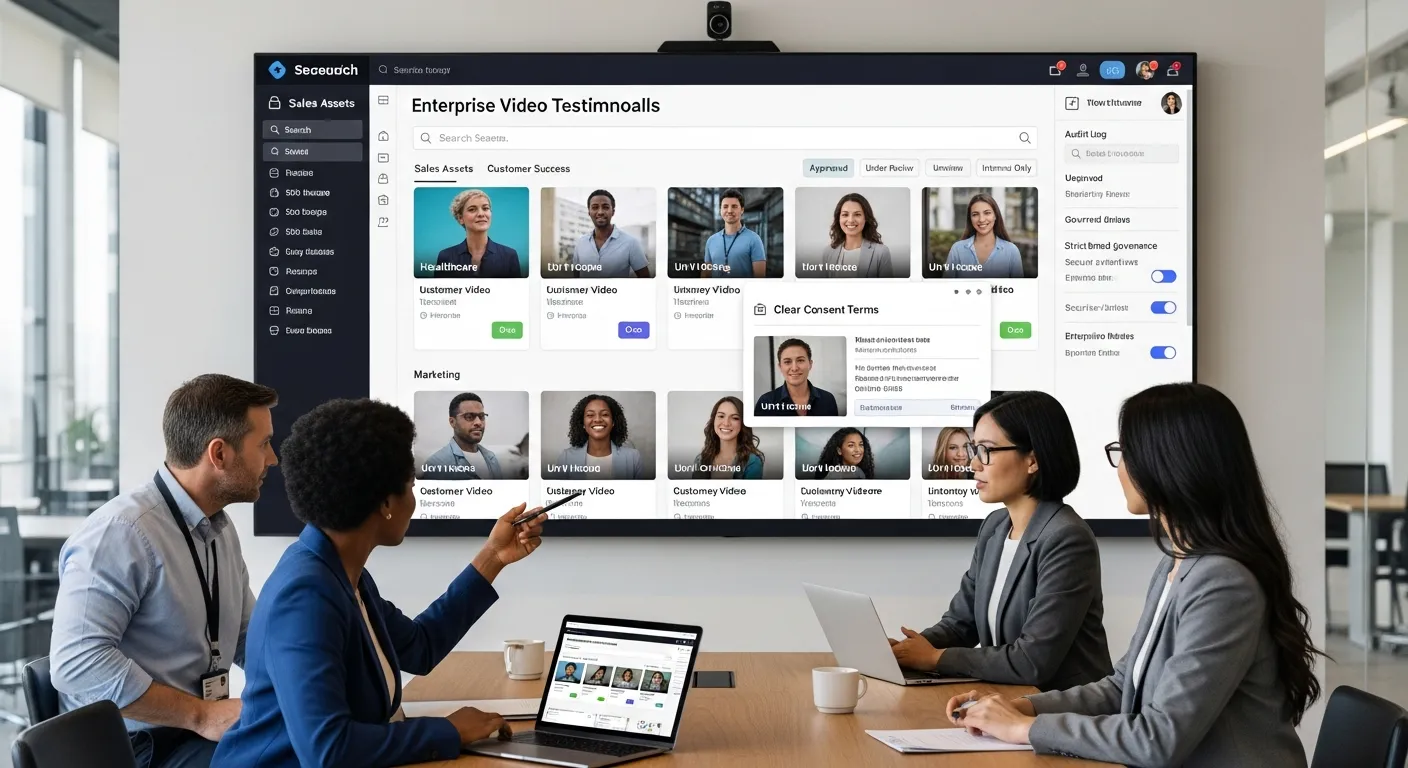
You’ve probably seen a bunch of tools calling themselves “enterprise-ready” because they added SSO and a dark theme.
That’s not it.
When you’re serious about enterprise video testimonials, enterprise-ready means: legal isn’t nervous, security is satisfied, brand is protected, and any go‑to‑market team can grab the right proof in a few clicks.
Enterprise Constraints That Break Normal Testimonial Tools
Most “record a quick video” platforms fall over as soon as a real enterprise process shows up.
Security Review
Your security team doesn’t care that it “only stores marketing content.” They care about:
- Where the files live and who can access them.
- How access is controlled (SSO, role permissions, audit logs).
- How links are shared externally (do they leak anything they shouldn’t?).
If you can’t answer basic security questionnaire items, you burn weeks in review, or worse, you just never get approved.
Legal Review
Legal wants to know:
- What exactly did the customer agree to?
- Can you edit their words? For how long? In what channels?
- Are there any risky performance or ROI claims that need disclaimers, especially in healthcare and finance?
If your setup is “we emailed them a Zoom link and they said it was fine,” that doesn’t fly.
Brand Governance
Brand teams lose sleep over:
- Off‑brand intros, old logos, and rogue lower‑thirds.
- Random YouTube links with no control over surrounding content.
- Salespeople hacking together edits in iMovie.
Enterprise-ready means guardrails: approved intros/outros, color, fonts, and edit templates that keep everything on‑brand without manual policing.
Multi-Team Distribution
The biggest failure point is distribution.
If your clips live in ten random Google Drives, nobody can find anything, so they don’t get used.
You want a setup where marketing, sales, CS, and even partners all pull from the same governed library, see what’s recommended for their use case, and can insert proof in seconds, not hunt around for filenames like final_final_v7.mov.
For teams operating across multiple countries or markets, the complexity goes up considerably. This guide to global video testimonial production covers how enterprise brands handle time zones, localization, compliance, and brand consistency without the process falling apart.
Enterprise Outcomes That Matter
You’re not investing in customer stories because they’re cute. You’re trying to move a short list of hard metrics.
Faster Deal Cycles
Late-stage deals stall for boring reasons: risk, politics, and fear of change.
A sharp, 90–120 second customer video that tackles “How long did implementation really take?” or “What happened with your data?” takes whole email threads off the table.
Instead of a rep saying “security will be fine,” you show a security leader from a similar org walking through exactly how they got comfortable.
Less back‑and‑forth, fewer surprise stakeholders, shorter cycles.
Higher Win Rates
In competitive deals, your deck and your competitor’s deck look… the same.
What doesn’t look the same is a CFO saying, “We compared three vendors. We picked this one because X and Y. Here’s what changed in the first quarter.”
That’s the moment your buyer’s internal story shifts from Can we justify this? to It would be weird not to do this.
Higher Conversion on Pricing/Decision Pages
Your pricing page is where courage quietly dies.
When you surround those numbers with short, specific proof, “Our time to close shrank by 30 days,” “Collections went up 18%,” “We cut manual work in half”, you’re turning that anxiety into curiosity.
Those pricing/decision pages are the perfect place for proof clusters: 2–3 tightly relevant clips by industry or role, so visitors see people just like them who already crossed the line.
Lower CAC & Higher Pipeline Efficiency
There’s a simple financial angle here.
If you raise site conversion, email reply rates, and proposal acceptance percentages with the same ad spend and same headcount, your cost to acquire a customer drops.
Video proof is one of the few assets that help at every stage:
- Top‑of‑funnel ads and landing pages pull in more qualified people.
- Middle‑of‑funnel nurture sequences stop going cold.
- Late‑stage proposals and deal rooms feel safer to sign.
You’re not adding more steps. You’re lubricating the ones you already have.

Where Enterprise Video Testimonials Create Immediate ROI
If this all stays theoretical, it dies in a Notion doc.
Let’s talk about where you can plug proof in this quarter and see movement.
Enterprise Sales Enablement
Your enterprise sales team is juggling sequences, demos, mutual action plans, the works. They don’t have time to dig up random YouTube links.
That’s why the best setups give them snack‑size clips mapped to specific friction points.
Objection Responses
Think of every painful, eye‑roll‑inducing objection you hear:
- “We’re worried about security reviews.”
- “Our clinicians won’t adopt another tool.”
- “We tried something like this before and it flopped.”
Now imagine having a 45–60 second clip queued up for each one. A real customer saying, “We had the same concern. Here’s what happened.”
You’re not arguing anymore, you’re witnessing.
“Match the Buyer” Proof
Enterprise buyers want to see:
- Their industry (health system, regional bank, real‑estate brokerage).
- Their role (CIO, VP Revenue, Head of Compliance).
- Their scale (1,000‑bed system vs 20‑location group).
If your library is tagged well, a rep can filter to “healthcare + CFO + 1,000+ employees” and drop in something that feels eerily specific.
That’s where tools like Share One shine: you don’t just shoot content, you organize it like a product catalog of proof.
Champion Enablement
Your biggest risk in enterprise is the champion who loves you… but has no ammo.
They forward your deck and a generic one‑pager to six execs, then wonder why the deal died.
Give them a simple micro‑playlist:
- 1 clip for the CFO (financial outcomes).
- 1 for the COO or clinical leader (workflow impact).
- 1 for IT/security (risk and rollout).
Suddenly, your champion isn’t just “the person who likes you.” They’re the internal storyteller armed with short, credible voices from the field.
ABM + Account Expansion
If you’re running ABM or you live on expansion revenue, video proof is your cheat code.
Persona-Based Proof Blocks
ABM is all about relevance. You’re already tailoring ads and landing pages by vertical and persona. Your proof should match.
A simple pattern:
- Vertical‑specific landing page (say, community banks).
- Above‑the‑fold you show a 60–90 second story from a similar bank.
- Below, you break out 2–3 short clips by role: CFO, Head of Retail Banking, Compliance.
Now every stakeholder sees their world reflected back.
Expansion Motion
Expansion is a trust game.
Your existing customer is asking, “If we roll this out to the rest of the network, or add this new module, will the wheels come off?”
Instead of a feature webinar, show:
- A sister site, region, or business unit that added the second product.
- A peer explaining how they introduced it to frontline staff.
- Specific before/after snapshots: ticket volume, time saved, revenue created.
Your CS team can drop these clips directly into QBR decks or renewal conversations, so expansion feels like a natural, low‑risk next step rather than a big new bet.
Procurement / Legal “Risk Compression”
If you’ve ever watched a deal suffocate in legal, you know this pain.
A good enterprise video program quietly compresses that risk.
Standardized Consent & Usage Language
Instead of one‑off email approvals, you use a single, vetted consent template that covers:
- What you can do with the recording (web, social, events, sales decks, etc.).
- How long you can use it.
- Your right to make light edits while staying true to the speaker’s intent.
Once legal blesses that language, every new testimonial request rides on the same rails. Less back‑and‑forth, lower risk.
Controlled Publishing & Approvals
Legal also worries about where and how clips appear.
An enterprise setup lets you:
- Route new stories through a quick internal review.
- Add disclaimers where needed (huge in healthcare and finance).
- Lock down edits so someone can’t casually trim out important context.
Platforms like Share One bake this in: you go from capture → review → approve → publish with role‑based checks, instead of Slack chaos and version hell.

Enterprise Use Cases by Team (So Adoption Actually Happens)
If adoption depends on everyone remembering a new URL, you’ve already lost.
Let’s plug this into the way your teams work.
Marketing Team Use Cases
Homepage Trust Blocks
Your homepage has one job: convince people they’re in the right place.
Drop a short, high‑level story above or just below the fold, someone describing the problem they had before you and the outcome they have now. Think of it as a friendly host at the door.
Pricing Page Proof Clusters
On pricing, people’s eyes dart between the numbers and the close button.
You calm that down with a tight row of proof:
- A clip about ROI or payback period.
- A clip about implementation speed.
- A clip about support.
All short, all specific, all from similar companies.
Landing Pages by Vertical
Running industry campaigns, healthcare, financial services, real estate?
Each landing page should feature a story from that world front and center. A practice manager talking about smoother patient follow‑up. A brokerage owner describing higher close rates. A loan officer sharing how many hours per week they got back.
Those stories do more work than three paragraphs of positioning copy ever will.
Sales Team Use Cases
Sales reps don’t need more content, they need the right clip at the right moment.
Sequence Snippets
Cold or warm outbound sequences get dramatically more human when step 2 or 3 includes a 30–45 second story:
“Quick 40‑second video from a practice like yours, she explains how they went from chasing patients on the phone to getting reviews on autopilot.”
Short, low‑commitment, and easy to tap on a phone.
Proposal Attachments
Your proposal deck is usually a graveyard of bullet points.
Embed one or two key clips or link to a small “customer stories” collection:
- One focused on financial outcomes.
- One on team experience.
- One on rollout.
You’re giving the buying committee something they can skim in five minutes that speaks human, not just procurement.
Deal Room Assets
If you use mutual action plans or digital deal rooms, dedicate a tab to Customer Proof:
- Videos.
- Transcripts.
- Key quotes.
This becomes the internal reference hub buyers point to when someone asks, “Who else like us has done this?”
Want to close deals faster? Take a peek at our Video Testimonials for Sales Teams guide.
Customer Success Use Cases
Customer success might be the most underrated source of great stories.
QBR Proof Assets
Rather than a QBR that’s just charts and tickets closed, sprinkle in 1–2 clips from:
- Another client in the same vertical who leveled up.
- A different region/team at the same customer.
You’re not just saying, “We could expand.” You’re showing a peer explaining how they did it.
Renewal Defense Proof
When budgets tighten, renewals go under the microscope.
Having short stories that anchor the value, “We cut their time‑to‑schedule by 40%,” “They saw appointment no‑shows drop within two months”, gives your champion language to defend your line item.
Advocacy Pipeline Engine
Treat advocacy like pipeline.
- CS flags happy customers after key milestones.
- A simple workflow sends them a branded, on‑rails recording experience.
- Marketing reviews, tags, and publishes the best stories.
Tools like Share One are built for this: human‑guided interviews, clean editing, and one library that feeds every channel. You’re turning everyday wins into a steady stream of social proof instead of one big “customer story project” every 18 months.
Governance and Control (The Stuff Enterprise Cares About)
This is where a lot of DIY setups fall apart.
Enterprise wants control without turning every video into a six‑month project.
Approval Workflows (Multi-Step, Role-Based)
You want something simple but strict:
Submission → Review → Approve → Publish
- Submission – CS or sales flags a happy customer, kicks off a request.
- Review – Marketing and/or CS watches the draft, trims fluff, checks claims.
- Approve – Legal/compliance gives a quick thumbs‑up based on pre‑agreed rules.
- Publish – The clip lands in the central library, tagged for roles, industries, and use cases.
All tracked, all auditable.
Optional Edits + Brand Compliance Checks
Sometimes a great quote is hiding behind a clunky setup.
Approval workflows should allow small edits, tightening intros, adding branded lower‑thirds, bleeping sensitive details, without changing meaning.
That’s the sweet spot Share One aims for: a human editor polishing the story, brand‑safe graphics baked in, and compliance having visibility before anything goes live.
If you’re ready to move from collecting individual clips to running a repeatable, governed system across teams and regions, this guide to building an enterprise video testimonial program covers the full framework including customer identification, legal integration, production workflow, and multi-department rollout.
Consent + Usage Rights (Explain in Plain English)
Lawyers love Latin. Your customers don’t.
What Consent Must Cover
At minimum, your consent should state:
- You’re allowed to record the session.
- You can use the video (and edited versions) in specific channels, website, sales materials, events, ads, social, etc.
- How long that permission lasts.
- How someone can revoke it, if needed.
When you handle this with a friendly, clear form, rather than a scary 7‑page PDF, people are surprisingly willing to say yes.
Handling Regulated Claims
If you work in healthcare, finance, or any regulated space, this matters a lot.
You want:
- Customers speaking to their experience, not making broad promises.
- Clear disclaimers when specific numbers or clinical outcomes show up.
- An internal checklist that CS and marketing use before publishing.
Share One works with teams in these worlds, so its workflows expect this: standard language for disclaimers, clear editing guidelines, and an approval step where compliance can say, “We need to soften that phrase,” before the world ever sees it.
Organization Structure
The way you organize your content will decide whether it’s loved or lost.
Workspaces / Teams / Permissions
Think of it like this:
- Global workspace – central brand, legal, and master assets.
- Team workspaces – sales, CS, partners, each with their own views and defaults.
Reps should see what’s relevant to them first, while brand and legal can still control the source.
Central Library + Local Team Collections
All final, approved stories live in one central library.
From there, you spin up collections:
- “Healthcare – Sales Top 20.”
- “Renewal & Expansion – CS.”
- “Homepage & Pricing – Web Team.”
Share One is built around this idea, one human‑crafted story library, endless curated playlists for each team, so nobody is reinventing the wheel or going off‑brand.
If you want a dedicated breakdown of how to structure approvals, consent workflows, and content lifecycle controls across your program, this guide to building an enterprise testimonial governance framework covers the four core pillars that keep production moving without the legal whiplash.

Integrations and Workflow Fit (No One Wants Another Tool)
If your system doesn’t show up where your team already works, adoption drops to zero.
Sales Stack
Your stories need to live where deals live.
CRM Attachment + Enrichment
The ideal flow in Salesforce or HubSpot:
- Rep opens an opportunity.
- Side panel shows recommended stories based on industry, size, and stage.
- With one click, they attach a story to an email, task, or mutual action plan.
Over time, you can even see which clips are associated with closed‑won deals. Getting that access layer right is its own discipline. This guide to building an enterprise video testimonial library breaks down the taxonomy, tagging, and CRM integration that turn scattered clips into proof teams can actually find and use.
Sales Enablement Distribution
If you use platforms like Highspot, Seismic, or Showpad, your testimonial library should sync there automatically.
Reps search “implementation time,” and up pop 2–3 short videos with that keyword highlighted in the transcript. No new logins, no hunting.
That’s the kind of workflow fit Share One optimizes for: capture and editing live in Share One, while distribution happens inside the tools you already depend on. Our Salesforce Sales Enablement Video Testimonials guide highlights how video testimonials accelerate deals for sales teams.
Website Publishing
Your site is still your best closer, if you let it speak like a human.
Embed Proof Blocks
Enterprise‑ready publishing means:
- Fast, lightweight embeds you can drop into CMS blocks.
- Options for playlists, single videos, or carousels.
- Schema markup so search engines understand this is review/testimonial content.
You want your devs to spend minutes, not weeks, shipping new proof sections.
Performance Considerations
Videos shouldn’t tank your page speed.
Look for:
- Lazy‑loading embeds (only load when in view).
- Adaptive streaming so mobile users aren’t forced to load desktop‑sized files.
- Custom thumbnails so everything still looks sharp if the video takes a beat.
Done right, you get the engagement and SEO lift from rich media without Core Web Vitals yelling at you.
Automation Triggers
You can absolutely run this from a spreadsheet and willpower… for about a month.
Then life happens.
Request Testimonial After Milestones
The easiest win: trigger a story request when something good happens.
- First 90 days completed.
- NPS or CSAT above a threshold.
- Major implementation milestone hit.
A friendly, scripted invite goes out with a branded capture link, exactly what platforms like Share One are built to handle.
Alert Teams When Approved
Once a new story clears review, the right people should know instantly.
- Ping sales leadership when a new clip lands for a strategic vertical.
- Notify web and demand gen when a strong story can anchor a new campaign.
Share One ties into common collaboration tools so those approvals turn into actual usage, not just another line in a changelog.
Proof at Enterprise Standard (How to Make It Believable)
There’s a big difference between “We love them, they’re great.” and proof that makes a CFO sit up.
What “Good” Looks Like
Specific Outcomes Without Hype
Skip “incredible growth.” Say:
- “Appointments booked went up 23% in three months.”
- “We shaved 30 days off our average time to close.”
Specifics feel real, and they’re easier for champions to repeat in internal threads.
Context
Have your customers answer:
- Who are you and what do you do?
- What was broken before?
- What constraints were you under (budget, staff, regulations)?
Context turns a brag into a blueprint.
Third-Party Signals
Make it easy to trust:
- Clear job title and company.
- On‑screen logo where allowed.
- Sometimes even a quick note like “Customer since 2022.”
These tiny cues keep viewers from wondering if it’s all staged.
Platforms like Share One coach interviewees into this level of detail with smart prompts, so you don’t have to write stiff scripts.
Avoiding “Fake-Looking” Testimonials
You’ve seen those videos where everyone sounds like they’re reading from the same teleprompter. Nobody believes those.
Over-Produced vs Authentic Balance
There’s a sweet spot:
- Clean audio, decent lighting, crisp editing.
- Real conversation, natural pauses, small imperfections left in.
Think high‑quality documentary, not glossy TV ad.
Share One leans into this, real human interviewers, global capture setups, polished but not plastic edits. The goal is trust, not a Cannes Lion.
Scripted ≠ Structured
You don’t want people memorizing lines.
You do want structure:
- Start with the problem.
- Move to what they tried.
- Land on what changed.
Good prompts, not scripts, are the trick. That’s how you get clear, compelling arcs without killing authenticity. If you’re wondering who should actually be on camera, our guide to B2B testimonial casting covers how to find the perfect mix of advocates for your brand.
Implementation Plan (So This Doesn’t Die After Purchase)
Here’s how to roll this out in about 30 days without blowing up your calendar.
30-Day Rollout Plan
Week 1
- Pick an owner (usually marketing or CS) and a small cross‑functional squad.
- Approve your consent language and basic governance rules.
- Connect your testimonial platform (like Share One) to your core tools (CRM, enablement, CMS).
Week 2
- Define your top 5–8 proof gaps: industries, personas, objections.
- Build a simple target list of customers who fit each gap.
- Draft invitation emails and talking points.
Week 3
- Run a focused collection sprint, CS and sales invite customers, Share One (or your chosen partner) handles the recording and editing.
- Start internal reviews, approvals, and tagging.
Week 4
- Publish a small but mighty set of stories:
- 1–2 on your homepage.
- A proof cluster on pricing.
- A curated collection in your sales enablement tool.
- Train reps and CSMs in a 30‑minute session: where to find stories, when to use which clip.
By the end of the month, you’re not “planning a testimonial strategy.” You’re closing deals with it.
For a deep dive on how to implement this to your pipeline, take a peek at our Video Testimonial Implementation guide.
Ownership + Cadence
Content without an owner is content that disappears.
Who Owns Collection
Usually:
- CS nominates happy customers.
- Marketing (or an external partner like Share One) runs the interviews and production.
Give CSMs a simple trigger list, NPS scores, milestone check‑ins, so they know when to raise their hand.
Who Owns Distribution
- Marketing/web owns what goes on site and in campaigns.
- Sales enablement owns what shows up in sequences, decks, and deal rooms.
Both pull from the same central library so you’re not creating conflicting versions.
Refresh Schedule
Set a simple rule of thumb: refresh your most‑used proof every quarter.
- Rotate in new industries or roles you’re targeting.
- Retire clips that mention old product names or UIs.
Partners like Share One make this light: ongoing capture, human editors, and a living library instead of a one‑and‑done “video day.”
Share One: Built for Enterprise Video Testimonials
If you’re comparing video testimonial tools or hunting for the best video testimonial software 2025 can offer, the real question is this: which option will give you believable, on‑brand stories and handle the messy enterprise bits, consent, approvals, integrations, without turning into a second job?
That’s exactly the gap Share One was built to fill. It’s a human‑first service with enterprise controls: real interviewers, thoughtful editing, rock‑solid governance, and an interface your teams can use.
Want to feel the difference instead of just reading another set of Share One reviews? Start with Share One and ship your first enterprise‑grade stories this month.
Start building trust today, so your next big deal doesn’t hinge on yet another slide, but on a real customer looking your buyer in the eye and saying, “We did this. It worked.”
Start with Share One Today ➡️
Frequently Asked Questions
What are enterprise video testimonials and why do they matter in B2B sales?
Enterprise video testimonials are short, real customer videos used as on‑demand reference calls. In complex B2B deals, they replace claims with proof, helping buyers hear from peers about implementation, security, ROI, and outcomes. This collapses doubt, speeds procurement, and can lift conversion rates on key pages.
How can I use enterprise video testimonials to increase late‑stage win rates?
Map specific clips to late‑stage friction points: implementation risk, security, and ROI. Embed 90–120 second videos in proposals, deal rooms, and follow‑up emails. When a security lead, CFO, or operator addresses those concerns directly, you reduce back‑and‑forth, unlock stalled opportunities, and raise your late‑stage win rate without adding headcount.
Where should I place customer video testimonials on my website for the best results?
Prioritize high‑intent pages. Add a concise, high‑level story to your homepage, proof clusters (2–3 short videos) on pricing pages, and role/vertical‑specific clips on landing pages. These spots capture buyers at key decision moments, lifting conversion, keeping visitors on‑site longer, and quietly improving SEO performance.
What makes a video testimonial tool truly enterprise‑ready?
Enterprise‑ready tools go beyond SSO. They offer secure storage and access controls, audit logs, standardized consent language, legal/compliance review workflows, brand guardrails (templates, fonts, logos), granular permissions, and integrations with CRM, sales enablement, and CMS. The platform must make governed, searchable, on‑brand proof easy for every go‑to‑market team to use.
How do I keep enterprise video testimonials compliant in regulated industries like healthcare or finance?
Use standard consent templates covering usage rights, duration, channels, and revocation options. Focus customers on sharing their experience, not broad guarantees. Add clear disclaimers any time you mention performance, financial, or clinical outcomes. Run each clip through a lightweight legal/compliance review and lock final, approved edits in a governed library.
What is the best way to start an enterprise video testimonial program in 30 days?
Assign an owner, agree on consent and governance, and connect your testimonial software to core systems. Identify 5–8 proof gaps by industry and persona, then run a focused customer outreach sprint. Capture and approve a small set of stories, publish them on homepage and pricing, and train sales and CS on when and how to use each clip.