How to Prepare for a Video Testimonial
Nail every story: learn how to prepare for a video testimonial with simple prep and confident delivery so your customers tell stories that build trust.
Quick gut-check: how much would your pipeline grow if prospects heard a 2‑minute story from someone just like them, on video, saying you delivered? In landing pages with video testimonials, visitors are 80% more likely to convert, and see 86% longer visitor duration compared to those without, which drives engagement signals up. You’re busy, markets are noisy, and trust is the currency, so in the next few minutes you’ll get a step‑by‑step prep plan, bite-sized tips you can use today, and a real story of how Share One takes the hassle off your plate.
Key Takeaways
If you’re wondering how to prepare for a video testimonial, start by setting clear expectations: agenda, logistics, purpose, and friendly prompts, while avoiding scripts and perfection talk.
Dial in the environment with soft, even window light, a quiet room, an uncluttered background, and a 10‑second test clip to catch noise or glare before recording.
Keep tech simple but stable: eye‑level framing, a steady camera, strong Wi‑Fi or Ethernet, clean lens, 1080p minimum, and a quick audio/video checklist with a local backup.
Prime mindset and delivery with “three wins,” a brief breathing exercise, conversational prompts, 1‑second pauses between thoughts, lens‑level eye contact, a strong hook in the first 10–15 seconds, and a tight ~2‑minute runtime.
Wear solid mid‑tones, skip tiny patterns and jangly jewelry, add subtle brand color, and bring a backup top in case of spills.
To streamline how to prepare for a video testimonial at scale, use Share One for branded invites, easy scheduling, green‑room checks, and human edits with captions that boost trust, conversions, and SEO.
Why Preparation Matters More Than Equipment
You don’t need a Hollywood camera to win hearts; you need a calm, prepared customer who knows what story they’re about to tell.
Psychological readiness drives better stories.
When people feel ready, they tell richer stories. They connect dots. They remember turning points and tiny details, the white‑knuckle moment before closing on a home, the nurse who stayed late, the banker who called back after hours.
Prep unlocks those specifics. You’ll get emotions, not marketing jargon: colorful snapshots, not vague praise.
Reducing anxiety creates authenticity.
A little nervous energy is normal. But if your customer’s worried about “saying it right,” you’ll hear stiff sentences and careful pauses. Reduce anxiety, lay out what will happen, remind them you can edit, and keep the chat casual.
Comfort turns into a natural tone. Natural tone turns into trust. And trust is the point.
A prepared customer equals better conversions.
Authentic video testimonials land better and lift conversions, consistently. Keep it tight, around two minutes, and lead with the best soundbite in the first 10–15 seconds for mobile scrollers. That’s how attention becomes action, and action becomes revenue.
Make sure everything is ready when you hit record, check out our guide on Video Testimonial Recording Checklist.
Step 1: Set Expectations Before the Recording
Think of this like a friendly pre‑game huddle. You’re removing guesswork so your customer walks in feeling helpful, not on trial.
What to send in your invitation message
A clear agenda: “We’ll chat for 15–20 minutes: final video ~2 minutes.”
Timing and logistics: date, time, link, who’s on.
Purpose and context: where the video will live (homepage, LinkedIn, email), who it helps, and why their story matters.
Talking points, not a script: before/after results, key milestone, one tip for a peer.
Add a calendar file, a reschedule link, and a “what to wear” note (we’ll get there). Tiny frictions create no‑shows. Remove them.
How to frame the purpose
Frame it as an act of service: “Your story helps someone like you make a confident decision.” Emphasize their experience, not your brand. That flips the spotlight and lowers pressure.
I like to say, “Pretend you’re talking to a friend who’s asking if we’re legit.” Works every time.
What NOT to say
Don’t send word‑for‑word scripts. They sound robotic.
Don’t warn them about perfection. It spikes nerves. Say, “We can edit.”
Don’t bury them in tech steps. Send one page, simple bullets, and a test link.
Pro Tip: Add a 30‑second voice memo example: your tone sets theirs, casual, clear, concise.
Step 2: Environment Setup (Lighting, Audio, Background)
You’re aiming for clean and calm, like a tidy corner table at your favorite coffee shop at 7 a.m., not Saturday brunch.
Lighting angles
Lighting for video testimonials is as important as audio. Face a window if you can, soft, even light. If the sun’s harsh, pull a sheer curtain, or bounce a lamp off a wall for a gentle glow. Avoid intense overhead lighting that carves raccoon‑eye shadows.
Quiet room selection
Pick a small room with soft stuff, rugs, curtains, and a couch. Close doors, silence phones, shoo pets. If you’re in an office, book a room away from HVAC hums and hallway chatter.
Background simplicity vs brand relevance
Keep the frame uncluttered. A plant, a shelf, a subtle logo mug, great. Piles of paper and busy artwork, no. You want the listener leaning into the story, not reading your diploma.
Avoiding echo, noise, and distractions
Put a folded blanket on the desk to dampen reflections.
Turn off desktop notifications.
If remote, ask housemates for 20 quiet minutes, yes, even the blender.
Pro Tip: Do a 10‑second test clip and listen back with headphones. You’ll catch buzzes and pops before the honest take.
Step 3: Tech Setup (Phone, Laptop, Connectivity)
You don’t need the fanciest gear. You just need stable.
Camera height
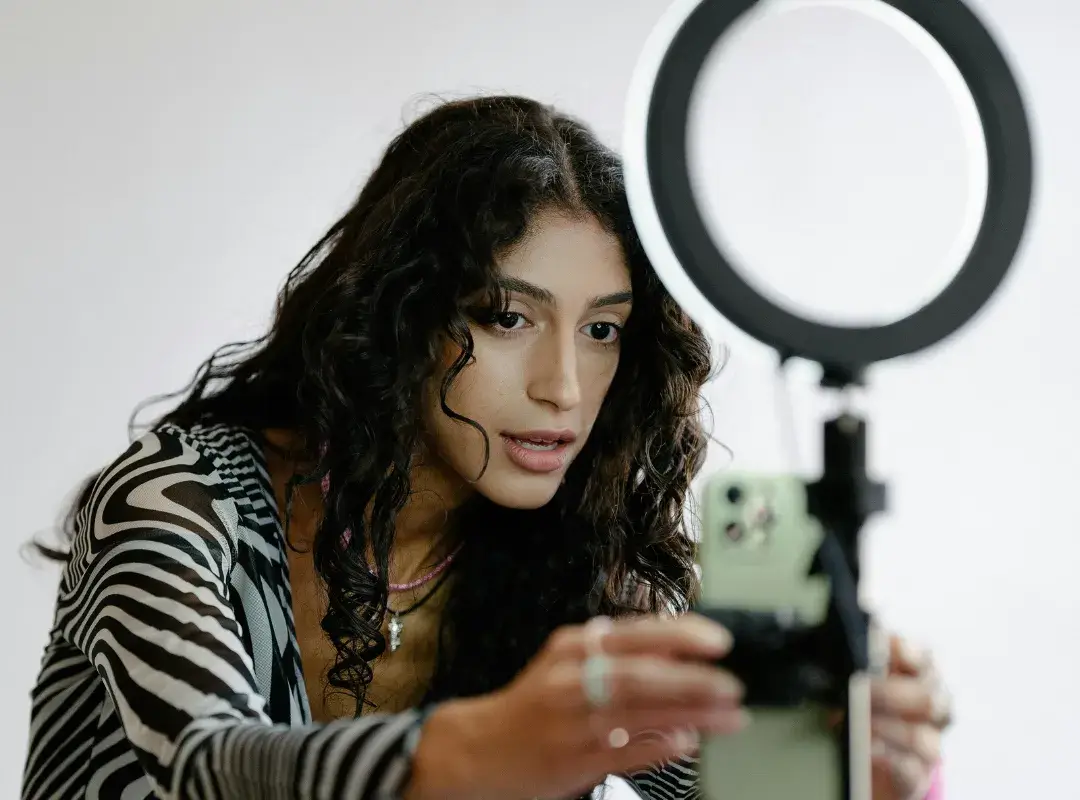
Eye‑level is everything. Stack books under a laptop or use a tripod for your phone. Frame from mid‑chest up. Leave a little headroom.
Stability
No handheld wobble. If it’s a phone, lean it against something solid or use a tripod. If your table wobbles, place a folded towel under the legs. Done.
WiFi stability
Test your connection. If it’s shaky, sit closer to the router or plug in with Ethernet. Close heavy apps and cloud backups. Ask others to pause streaming for 15 minutes.
Troubleshooting checklist
Audio: meters moving? Any crackle? Mic selected?
Video: lens clean? Exposure okay? Backlight off your face?
Lighting: bright enough? No sharp shadows?
Backup: hit local record if your platform allows.
Bonus: Record in 1080p minimum. If you can do 4K on a phone and have light, great, but 1080p with clean audio beats fuzzy 4K drama.
Step 4: Mindset Prep (Reduce Nervousness)
This is where the magic happens. The goal: loosen the shoulders and invite real moments.
“Three wins” memory triggers
Before you roll, ask: “What are three wins you’ve had since we started working together?” It sparks confidence, jogs specifics, and sets a positive frame.
Confidence priming
A 30‑second breath, inhale for four, hold for four, exhale for six. Then visualize the person who will watch this and think, “This is exactly what I needed.” It sounds fuzzy. It works.
How to avoid sounding rehearsed
Ban paragraphs. Use prompts.
Try these:
“What was happening before you found us?”
“What changed after 30 days?”
“What would you tell a friend who’s on the fence?”
You’ll get conversation, not copy.
Step 5: Delivery Tips (What Makes Them Look Great)
We’re shooting for “smart and human,” not “press conference.”
Natural pacing
Ask for a beat between thoughts, literally, a 1‑second pause. It gives editors room and makes the viewer feel guided, not rushed.
Eye contact
If it’s a solo recording, have them look at the camera lens, not the screen. On a laptop, drag the video window right under the lens so the eyes are nearly aligned.
Staying conversational
Short sentences. Everyday words. If a sentence goes on for a county mile, it’s too long. Encourage them to speak like they text their best friend, cleaner, but close.
Moment-capturing vs reciting facts
Facts are fine: moments sell. “We were two days from closing, and the rate dropped.” Beats “great service.” Encourage dates, numbers, and sensory bits, the sound of the phone at 7:12 a.m., the nurse’s peppermint gum, the banker’s calm voice.

Step 6: What to Wear for a Testimonial
Dress like you, just the tidy, video‑ready version.
Solid colors
Solid mid‑tones pop. Blues, greens, earth tones. White can glare: pure black swallows detail if the room’s dim.
Avoid patterns
Tiny stripes and herringbone can shimmer on camera. Keep jewelry quiet, no jangly bracelets fighting the mic.
Brand-aligned outfits
A hint of brand color or a logo pin is perfect. You’re not a NASCAR driver; subtle signals look classy on screen.
Pro Tip: Bring a backup top. Coffee happens.
Step 7: How Share One Prepares Customers Automatically
You’ve got a business to run. Herding calendars, tech checks, coaching customers, hard pass. This is where Share One earns its keep.
Branded invitation portal
Your customer opens a clean, branded portal that feels like your front desk, polite, professional, and simple. They see the agenda, time estimate, sample questions, and a 10‑second “what good looks like” clip. First impressions matter: this one says, “We’ve got you.”
Simple scheduling flow
A couple of clicks, time zone handled, reminder emails and SMS sorted. No endless back‑and‑forth, no no‑shows. If someone needs to reschedule, it’s one link, not a scavenger hunt.
Interview director guidance
Here’s the secret sauce. Share One bakes coaching into the process, friendly prompts, do‑this‑not‑that micro‑videos, and a green‑room check for lighting, audio, and framing. The system nudges eye level, suggests a window light, and reminds them to silence Slack. You still get authenticity, not scripts, just with the training wheels on.
Human-edited professionalism
After recording, editors polish the gold, tight pacing, clean sound, tasteful lower‑thirds, and burned‑in captions for mobile (over 60% of views). They lead with the strongest hook, keep the whole thing around two minutes, and deliver formats ready for your site, socials, and email.
If you’re comparing video testimonial tools or hunting for the best video testimonial software 2025, peek at actual Share One reviews and watch the finished clips. You’ll see the pattern: less hassle, more signal, better sales conversations.
Use a Done-For-You Testimonial Service
You don’t need a studio, you need a plan. Prep your customer, keep it to two minutes, lead with the hook, and tell a real story. Do that, and you’ll boost trust, conversions, and the SEO signals that bring more buyers to your door.
If you want the easy button, Share One pairs human coaching with polished edits, so you get authentic videos without juggling calendars, tech, and training. It’s the practical path for healthcare, finance, and real estate teams who want proof that moves people.
Ready to turn quiet fans into on‑camera advocates?
Start Building Trust Today with Share One ➡️
Frequently Asked Questions
How to prepare for a video testimonial in a simple, effective way?
Start by setting expectations (15–20 minute prep chat, 2‑minute final video). Prep the environment (soft window light, quiet room, uncluttered background) and tech (eye‑level camera, stable internet, 1080p resolution). Calm nerves with prompts instead of scripts, and encourage a 10–15 second hook. Focus on short, authentic human stories, they convert best.
What should be included in the invitation for a video testimonial?
Include a clear agenda, estimated time, video link, attendees, and where the video will be used. Share talking points (before/after, milestones, one tip), a tech test link, calendar invite, reschedule option, and simple clothing guidance. Avoid scripts and warnings about perfection—reassure participants they’ll be edited for polish.
How to set up lighting, audio, and background for a video testimonial?
Face soft window light or bounce a lamp off a wall. Choose a quiet, small room with rugs or curtains. Keep the frame tidy—plants or subtle branding work. Silence notifications, reduce echoes (blankets on desk or soft surfaces), stabilize the camera at eye level, and record a short test clip to check quality.
What should I wear for a video testimonial on camera?
Choose solid mid‑tones like blues, greens, or earth colors. Avoid bright white or deep black in dim lighting, and skip tiny stripes or patterns that shimmer. Keep jewelry quiet to avoid mic noise. If appropriate, add a subtle brand color or logo, and bring a backup top in case of spills.
Do I need a release form when preparing for a video testimonial?
Yes, always obtain written consent for recording, editing, and usage across channels. Include name, company, permissions, and editing rights. For regulated industries (healthcare, finance), add compliance clauses and avoid sensitive data. Share how and where the video will be used so participants feel safe and informed.
What video formats and aspect ratios work best for testimonials in 2025?
Record at a minimum of 1080p (4K if well-lit). Export 16:9 for websites or YouTube, 1:1 or 4:5 for social feeds, and 9:16 for Stories/Reels/Shorts. Add burned-in captions for mobile viewers, and lead with a strong hook. Plan vertical and horizontal cuts to maximize audience reach.
How can I help a camera-shy customer feel comfortable?
Use a warm-up chat to build rapport and explain the process. Offer simple prompts instead of scripts, and remind them it’s okay to pause or repeat answers. Position the camera at eye level, and allow breaks if needed. Authenticity is more important than perfection.
What common mistakes should I avoid when preparing a video testimonial?
Over-coaching or scripting responses, ignoring lighting/audio issues, using busy backgrounds, and failing to get written consent are top errors. Also, skipping mindset prep or not testing equipment can reduce quality and engagement. Focus on comfort, clarity, and authenticity for the best results.