Video Testimonial Implementation: A Practical 30-Day Rollout Plan
Learn a proven 30‑day video testimonial implementation plan with governance, collection, publishing and KPIs to boost trust, close rates and revenue.
If you’ve ever installed a shiny new “social proof” tool and then watched… nothing happen, you’re not alone.
And yet, when visitors watch real customer videos, they’re up to 80% more likely to convert.
So the real question isn’t “Should I use video testimonials?”
It’s “How do I implement them so they work for me every day—while I’m in meetings, on calls, or living my life?”
This is your practical, no-fluff rollout plan. Over the next 30 days, you’ll turn scattered customer videos into a simple system that builds trust, improves close rates, and doesn’t eat your calendar alive.
(Find out how to leverage Share One’s Catch Widget with our Video Testimonial Widget guide.)
Key Takeaways
- Effective video testimonial implementation is about integrating customer stories into every key sales and marketing touchpoint, not just collecting and posting a few videos.
- Build your program on five pillars—governance, targeted collection, innovative publishing, active distribution, and simple measurement—to turn testimonials into a reliable revenue engine.
- Use a 30-day rollout plan to launch: set rules and integrations in Week 1, collect focused stories in Week 2, package and approve assets in Week 3, and deploy them to high-intent pages and sales workflows in Week 4.
- Close proof gaps by mapping testimonials to buyer personas, industries, and recurring objections so that every concern in the sales process has a specific customer story that answers it.
- Treat video testimonial implementation as core revenue infrastructure, assigning clear owners and adoption plays for sales, marketing, and customer success so testimonials consistently drive higher close rates and faster pipelines.
What “Implementation” Really Means (So Expectations Don’t Break)
You don’t have an implementation problem because you “don’t have enough testimonials.”
You have an implementation problem because the ones you do have aren’t wired into how you sell.
Implementation is less “let’s make some nice videos” and more “let’s redesign how proof shows up in every serious buying conversation.”
It’s Not “Install Software → Get Results.”
Here’s the trap a lot of innovative founders fall into:
- Buy a tool.
- Send a few invite links.
- Post one or two videos on the website.
- Move on to the subsequent fire.
Six months later, the platform is a very expensive video graveyard.
Software doesn’t fix the real issues:
- Ownership – Who is responsible for results, not just “collecting content”?
- Relevance – Do your clips answer the fundamental questions your buyers ask late in the deal?
- Adoption – Do sales, marketing, and success teams know when and how to use them?
Implementation means changing how your team works, not just what tool they log into.
It’s an operational shift: like adding another rep to the team, except this rep is your happiest customer, on video, on demand.
The Five Pillars of Video Testimonial Implementation
Think of your program like building a small but mighty revenue engine with five moving parts.
Governance (Ownership + Approvals)
Governance sounds dry, but skip it and your whole program gets stuck in email threads.
You need to answer, in writing:
- Who owns the testimonial program and its numbers?
- Who must approve content (legal, compliance, brand, exec)?
- What’s the standard for consent and usage rights?
When you’re in healthcare, finance, or real estate, this matters even more.
You’re often juggling HIPAA concerns, FINRA/SEC rules, or broker brand guidelines.
Governance keeps you moving instead of wondering, “Can we post this?”
Collection (Targeted Acquisition)
Random happy talk doesn’t close deals.
You want stories that do three things:
- Match your ideal buyer (role, company size, industry).
- Mirror their main objections (price, risk, switching cost, timing).
- Walk through before → after in about two minutes or less.
That means you don’t wait for someone to email, “Hey, I’d love to record a video.”
You build a habit: when a client says, “You saved us,” your team thinks, “Perfect, let’s capture this on camera.”
Service‑led, one‑to‑one outreach beats a big blast asking everyone for a favor.
It feels respectful, and the stories are sharper.
Publishing (Placements That Matter)
If your best proof hides on a lonely “Testimonials” page, it’s in witness protection.
These are the places where you want customer stories:
- On the homepage – so new visitors instantly feel, “People like me trust this.”
- On pricing and plan pages – right next to the sticker shock.
- On key landing pages – wherever serious buyers land from ads, email, or search.
Placement beats volume.
Five razor‑sharp clips, placed where decisions happen, will out‑earn 50 random videos buried in a gallery.
Distribution (Sales + Marketing Usage)
This is where you stop relying on “organic discovery” and start treating proof like a sales asset.
- Sales reps have short clips ready for, “I’m worried about switching from my current provider.”
- Marketing drops stories into nurture emails, retargeting ads, and webinar follow‑ups.
Instead of you trying to convince people, your customers handle the heavy lifting.
Your job becomes getting those stories in front of the right eyeballs at the right time.
Measurement (Simple KPIs)
If you can’t see the impact, the program will lose attention.
Keep it simple and direct:
- Close rate lift – Do deals with proof attached close at a higher percentage?
- Pricing page conversion – Does adding video near your numbers increase trial/demos?
- Pipeline acceleration – Are key stages (like Proposal → Closed Won) moving faster?
These are the numbers that get leadership to say, “Whatever you’re doing with those videos, do more of it.”
Want to know when to expect results? Our How Fast Do Video Testimonials Work guide does a deep dive into this.

Pre-Implementation Checklist (Before You Touch Anything)
Before you install one more app or send one more request email, pause.
Grab a coffee, open a doc, and run through this checklist.
It’ll save you months of frustration.
1. Define One or Two Clear Goals
You don’t need a 14‑metric dashboard.
You need one or two targets everyone can remember.
Close Rate Lift
Ask yourself:
“If my sales team had the perfect proof at the right moment, where would it move the needle most?”
In many service businesses, that’s late stage.
You can track this in your CRM by tagging opportunities where a testimonial was shared and comparing close rates.
Pricing Page Conversion
If your site has a pricing, fees, or “How it works” page, that’s where nerves spike.
Drop anxiety with:
- Short clips from clients who once thought you were too expensive.
- Stories where someone says, in their own words, “We got ROI in 60 days.”
Watch the conversion rate on that page before vs. after you add proof.
Pipeline Acceleration
In longer sales cycles, think complex financial planning, commercial real estate, or healthcare contracts, the win is speed.
Use testimonials earlier:
- In discovery call follow‑ups.
- In educational content.
- In pre‑meeting emails: “Here’s how another client like you approached this decision.”
Track how long deals sit in each stage once proof becomes standard.
2. Define Proof Gaps
You don’t need more stories.
You need the right stories.
By Persona
Map the humans in your deals:
- Economic buyer (CFO, medical director, brokerage owner).
- Day‑to‑day champion.
- End user (staff, nurses, agents, associates).
Ask: “Do we have at least one strong clip for each of these roles?”
By Industry
If you work across verticals, say dentists, chiropractors, and medspas, mixing them all dulls the impact.
A plastic surgeon wants to hear from another surgeon, not a SaaS founder.
List your top 3 industries and mark where you’re missing targeted proof.
By Objection Type
Write down the sentences you hear over and over:
- “Your fees are higher than those of others we’re talking to.”
- “We’re nervous about switching from our current advisor/agent/provider.”
- “We’re worried about compliance or privacy.”
Each one deserves its own story.
When a prospect says, “We’re worried about X,” you answer with, “Here’s a 90‑second clip from someone who had that same worry.”
3. Identify Owners
No owner = slow death.
Program Owner
One person is on the hook for results.
Not “everyone in marketing.”
Not “the sales team.”
A name.
Their job: keep the pipeline of stories flowing and make sure those stories show up in deals.
Approver (Legal / Brand)
Especially in regulated spaces, you need a fast, repeatable review path.
Set rules like:
- Standard consent language.
- What customers can/can’t mention.
- How you handle edits and takedown requests.
Then decide who clicks Approve so content isn’t stuck in limbo.
Publisher (Web / Marketing Ops)
This is your “get it live” person.
They own:
- Adding videos to pages.
- Embeds, thumbnails, and captions.
- Basic SEO: titles, descriptions, schema.
If no one owns this, great videos will sit in folders for weeks.
Sales Enablement Champion
Pick a rep or sales leader who loves this stuff.
They help you:
- Turn generic clips into objection‑specific assets.
- Train the rest of the team on where proof fits in their process.
- Share what’s working in real calls.
Now you’re ready to roll.
The 30-Day Video Testimonial Rollout Plan
You don’t need a quarter.
You can stand up a lean, effective program in about 30 days, even while you’re juggling client work.
Think of it as four sprints:
- Week 1 – Foundations.
- Week 2 – Collection.
- Week 3 – Approval + packaging.
- Week 4 – Deployment to revenue touchpoints.
Let’s walk it out week by week.
Week 1 — Foundations
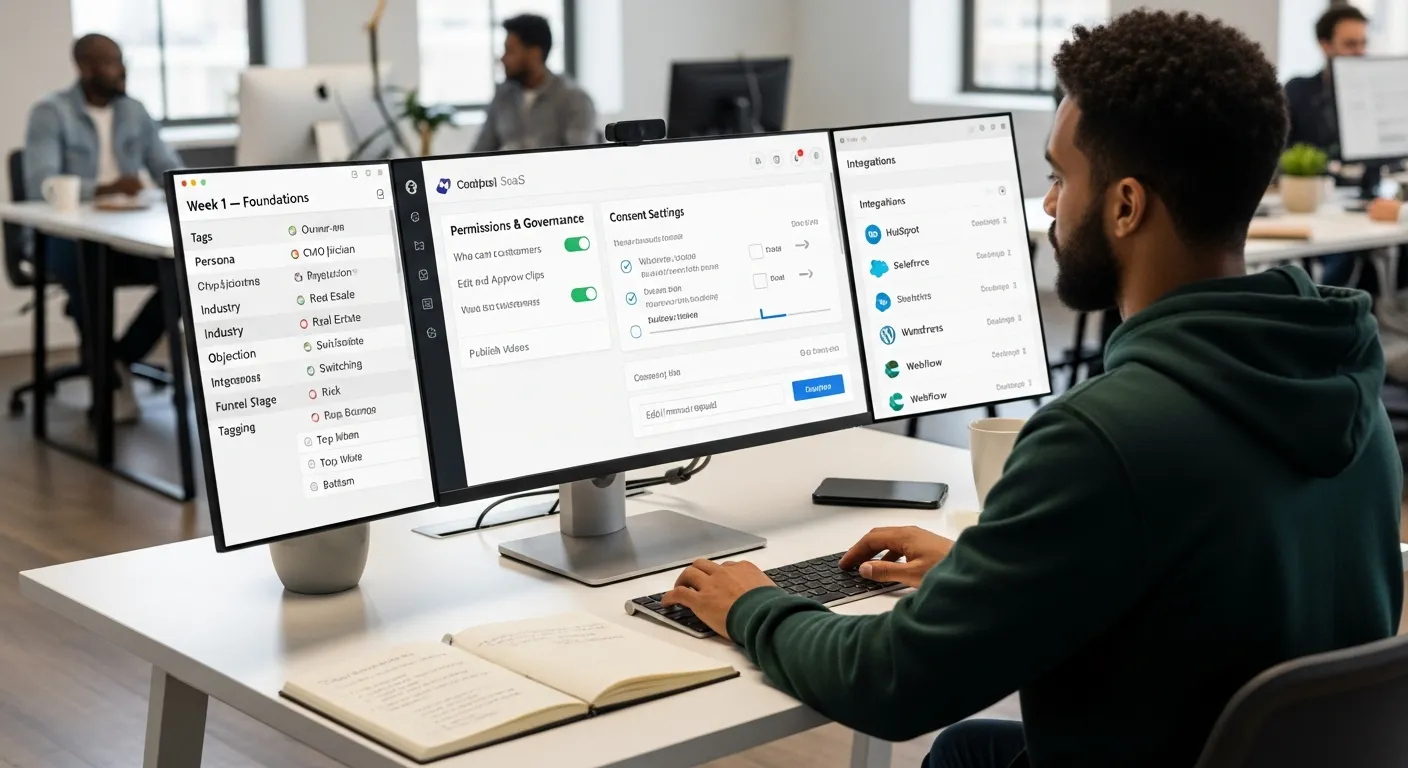
This week is about plumbing and rules.
Not glamorous, but this is what keeps you from future headaches.
Set Permissions and Governance
Confirm who can:
- Invite customers.
- Edit and approve content.
- Publish to the site or sales library.
Write it down in a short doc, share it with sales, marketing, and success.
No mysteries.
Configure Consent Baseline
Use a simple, friendly consent flow that covers:
- Where you can use the video (website, ads, email, social).
- How long can you use it?
- How they can reach you if they want edits or removal.
You want customers to feel protected, not ambushed.
Set Up Integrations (CRM + Website)
Connect your capture tool or service to:
- Your CRM (HubSpot, Salesforce, etc.) so you can tag which deals see which stories.
- Your CMS (WordPress, Webflow, Squarespace, whatever you use), so adding a video block takes minutes, not tickets.
The cleaner this is, the easier everything else becomes.
Define Tagging Taxonomy
Set 5–7 tags you’ll apply to every clip:
- Persona (Owner, CMO, Physician, Broker).
- Industry (Dental, SaaS, Residential Real Estate).
- Objection (Price, Risk, Switching, Compliance).
- Funnel stage (Top, Mid, Bottom).
Future you will thank present you when you’re searching, “Need a 60‑second story from a small practice worried about cost.”
Week 2 — Collection Sprint
Now you go get the stories.
But you do it with intention.
Shortlist 20 Customers, Target 6–8 Responses
Pull a list of your happiest, most representative clients.
Aim for about 20 names.
Your real goal is 6–8 solid videos in this first sprint.
Choose a mix:
- Different industries.
- Different personas.
- Different objections they once had.
That alone gives you a powerful starter library.
Request Messaging Templates (No Big Template Dump)
You don’t need a 10‑email sequence.
You need one or two human messages.
Something like:
“Hey Sarah, thanks again for trusting us with your practice. A lot of owners we talk to are nervous about changing advisors. Would you be open to recording a quick 2‑minute story about what things were like before and what changed after we started working together? We’ll send a super simple link, no fancy setup needed.”
Keep it:
- Personal.
- Short.
- Specific about why their story matters.
Scheduling Rules (Avoid Bad Timing)
A tiny but essential detail: don’t ask at awful moments.
Avoid:
- Right after a support hiccup.
- During renewals or big negotiations.
- In the middle of a crisis in their industry.
Great times to ask:
- After a big win, they credit you for.
- After a smooth onboarding or closing.
- When they share unsolicited praise in an email or a call.
That’s when you say, “Can we capture exactly what you just said on video?”
Week 3 — Approval and Packaging
This is where raw footage turns into revenue assets.
Approval Routing
Get every clip through a simple, predictable route:
- Internal check – anything off‑brand or inaccurate?
- Legal/compliance (if needed) – disclosures, disclaimers, wording.
- Final customer sign‑off – “Are you comfortable with us using this as‑is?”
The goal isn’t perfection.
It’s speed with just enough risk control.
Editing Standards (Authenticity Over Polish)
You don’t need Hollywood.
You need honesty.
Some of the highest‑converting videos online were shot on phones.
Research backs it up: people trust slightly imperfect, unscripted stories more than glossy commercials.
So clean up the basics:
- Trim dead air.
- Boost audio.
- Add captions (critical for mobile and quiet viewing).
But let real emotion, natural pauses, and quirks stay.
That’s what makes a viewer think, “This sounds like me.”
Create Proof Bundles
Don’t just upload a 2‑minute clip and call it a day.
Turn each story into a small bundle:
- 1–2 shortcuts (30–60 seconds) around key objections.
- Full version (up to ~2 minutes) for deeper context.
- A few written bullets: the problem, what you did together, and the result.
Now you’ve got assets for:
- Website blocks.
- Email sequences.
- Sales follow‑ups.
- Social posts.
All from one conversation.
Week 4 — Deploy to Revenue Pages
This is the fun week; your proof finally hits the real world.
Homepage Proof Blocks
Above the fold, give visitors a clear sense that real humans trust you.
You can add:
- A small grid of 2–3 faces with play buttons.
- A headline like “See how other practice owners cut overhead by 20%.”
Further down the page, pair deeper clips with copy about your process or values.
Pricing Page Clusters
This might be the single most profitable placement.
Drop a cluster of 2–4 short stories near your pricing table or “Book a call” button.
Focus on:
- People who hesitated over cost.
- People who switched from a competitor.
- People talking about ROI in plain language.
You’re not just listing numbers, you’re surrounding them with reassurance.
Top Landing Pages
Look at your analytics.
Find the top three landing pages that bring in serious traffic (Google Ads, organic, or email).
Embed a relevant customer story on each:
- Match industry.
- Match use case.
- Match stage of awareness.
You’ll usually see time on page go up, and with it, your chances of conversion.
Sales Enablement Distribution
Finally, arm your sales team.
Create a simple internal page or Notion doc with:
- Links to your best clips by objection.
- Suggested email copy: “When they say X, send Y.”
- Quick talk tracks for when to play a video live on a call.
When reps realize these clips make calls less awkward and deals easier, they’ll start asking you for more.
(Learn How to Embed Video Testimonials on Your Website with our guide.)

Internal Adoption: Getting Teams to Actually Use Testimonials
If the only person using your stories is you, the program will stall.
You want this to feel like fuel everyone is allowed to burn.
Sales Adoption Play
Sales lives on habits and shortcuts.
So give them both.
Create “Top 10 Clips” by Objection
Bundle your sharpest snippets into one easy list:
- “Too expensive.”
- “We’re loyal to our current firm.”
- “Not sure about compliance.”
One click, one clip, one clear answer from a peer.
Add to Sequences and Decks
Sit down with a rep or manager for 30 minutes and:
- Drop 1–2 videos into your most used email cadences.
- Embed clips in your core pitch or demo deck.
Now, even new reps are using proof from day one, without having to remember where anything lives.
Marketing Adoption Play
Marketing loves new content… until they forget it exists two months later.
Content Calendar and Proof Refresh Cadence
Bake stories into your rhythm:
- Plan at least one proof‑driven asset per month (blog, case email, LinkedIn post with a clip).
- Set a reminder every quarter to rotate which videos sit on key pages so things stay fresh.
Treat testimonials like ingredients, not leftovers.
They should flavor everything else you publish.
Customer Success Adoption Play
Your happiest future videos are sitting in your success team’s inbox right now.
Advocacy Pipeline
Give CS a simple rule of thumb:
- Great renewal?
- Big win?
- Email that makes them smile?
Tag that account as an advocate.
Once a month, your program owner pulls that list and reaches out with personalized invites to share their story.
That’s how you keep the proof flowing instead of doing one big push and calling it done.
Why a Video Testimonial Service Accelerates Implementation
Could you DIY all of this with a phone and a few tools?
Absolutely.
The question is whether you want a second job as a producer, editor, project manager, and compliance wrangler.
A specialized service, like Share One, for example, removes a lot of friction:
- They run the invitation process, so your clients get a smooth, human outreach instead of a clunky link.
- They know how to pull real stories out of busy professionals without scripts that feel like late‑night infomercials.
- They handle editing, captions, and packaging so every clip is ready for your site, email, or social in one shot.
For founders in healthcare, finance, or real estate, the hidden value is time.
You’re not hunting B‑roll, writing shot lists, or guessing what to cut.
You’re spending your energy where it belongs, on strategy and sales, while specialists turn your client wins into on‑demand proof.
And because services like this live and breathe testimonials, they’re usually better at dialing in the details that move the needle: length under two minutes, phone‑friendly framing, front‑loaded soundbites, and that perfect balance of “clean” but not fake.
(Learn the best video testimonial hosting platforms so they load fast and convert on our Where to Host Video Testimonials guide.)
Final Takeaway: Treat Testimonials Like Revenue Infrastructure
If you remember nothing else, remember this: customer stories are not marketing decoration.
They’re infrastructure, trust rails that guide nervous buyers from “Sounds nice” to “Let’s sign.”
You’ve seen the numbers: people believe other people more than they’ll ever think your ad copy.
When you give those people a system, governance, collection, publishing, distribution, and measurement, you stop hoping for referrals and start engineering proof into every serious conversation.
So pick your one or two goals.
Run the 30‑day rollout.
And if you’d rather skip the technical juggling and go straight to consistent, human stories that sell for you, partner with a testimonial service that does this all day long.
Your future clients are already watching someone’s customer stories while they decide who to trust.
The only real question is whether they’ll be watching yours.
Start Your Video Testimonial Revenue Infrastructure with Share One
Frequently Asked Questions
What does effective video testimonial implementation actually mean?
Effective video testimonial implementation means integrating customer videos into how you sell, not just collecting them. It covers governance, targeted collection, smart website placements, sales and marketing distribution, and clear KPIs—so those videos actively support every serious buying conversation instead of sitting unused in a “testimonial” gallery.
Who should own video testimonial implementation inside a company?
Successful implementation requires a clear program owner, often in marketing or revenue operations. This person coordinates legal approvals, customer success, sales enablement, and publishing. Without a single owner, testimonial programs often stall, become disorganized, or fail to get adopted by sales teams.
How do I implement a video testimonial system in 30 days?
Use a four‑week rollout: Week 1, set governance, consent, integrations, and tagging. Week 2, shortlist 20 happy clients and capture 6–8 targeted stories. Week 3, route approvals and package clips into bundles. Week 4, deploy to homepage, pricing, key landing pages, and sales enablement docs.
What pages should video testimonials be implemented on first?
High-intent pages matter most. Start with your homepage, pricing page, and top conversion-focused landing pages. These placements directly influence trust and buying decisions. Many teams make the mistake of hiding testimonials in blog posts instead of placing them where prospects are evaluating risk and credibility.
How can I measure the ROI of video testimonial implementation?
Track a few simple KPIs: compare close rates for opportunities where a testimonial was shared vs. not, measure conversion changes on pricing pages before and after adding videos, and monitor pipeline acceleration—how quickly deals move through key stages once proof is systematically embedded in your sales process.
What are best practices for recording high‑converting video testimonials?
Aim for 60–120 seconds, focused on a clear before‑and‑after story. Prioritize authenticity over polish: phone video is fine if audio is clear and lighting is decent. Ask about initial worries, what changed, and specific results. Always secure explicit consent and add captions for mobile and silent viewing.
How do you get customers to agree to video testimonials during implementation?
The key is targeted outreach and good timing. Implementation works best when requests are personalized, aligned to recent wins, and easy for customers to say yes to. Broad, generic email blasts usually underperform and can harm customer relationships.
How do you measure success for video testimonial implementation?
Success is measured by outcomes, not views. Key metrics include conversion lift on pages with testimonials, sales usage in deals, and assisted pipeline influence. Simple tracking is often enoug, what matters is whether testimonials are being used and helping move prospects closer to purchase.