How to Collect Video Testimonials at Scale
Learn how to collect video testimonials with a simple 3-step system, scripts, and tools that quickly boost conversions, build trust, and strengthen SEO sales.
If you’re still relying on a wall of text reviews to close deals, you’re leaving money on the table. People who watch testimonial videos are 80% more likely to convert than those who don’t.
In crowded spaces like healthcare, finance, and real estate, your future clients want to see real people like them saying, “Yes, this worked,” not another polished promise from your marketing department, and those same clips keep visitors on your site longer, which quietly boosts your SEO. You’re busy, though, and you don’t have time to chase clients, write scripts, and edit footage… so let’s walk through how to collect video testimonials in a way that’s systematic, low-friction, and tied to revenue, with simple scripts, a repeatable process, and a peek at how tools like Share One can take most of it off your plate.
(Want to learn a proven workflow to ensure success in using video testimonials? Take a peek at our Video Testimonials Workflow guide.)
Key Takeaways
- You can systematically collect video testimonials with a simple 3-step flow—Trigger → Capture → Leverage—instead of relying on ad hoc requests that rarely get results.
- Timing and targeting matter: ask only your happiest, recently successful clients and frame the request as a way for them to help others like them, not as a favor to your business.
- To collect video testimonials at scale, remove friction with one-click recording links, on-screen prompts, and clear length guidance so clients can submit authentic clips from their phones in under two minutes.
- Automating testimonial requests via your CRM or patient/client management tools turns video collection into an always-on engine that boosts conversions, sales performance, and SEO.
- Platforms and remote video testimonial services like Share One can fully manage outreach, guided capture, reminders, and editing so you quickly build a high-impact library of video testimonials without adding to your workload.
The missing link: Why most companies fail to get the testimonials they need
You’ve probably had this moment: you finish a project, the client is thrilled, you mean to ask for a video review… and then it’s six weeks later, and the momentum is gone.
That’s the missing link.
Most businesses don’t have a system for collecting video stories. They rely on memory, vibes, and the occasional “Hey, would you mind recording something?” at the end of a Zoom call.
Here’s what usually goes wrong:
- Ad hoc asking. No owner, no process, no tracking. Some clients get asked three times; your happiest customers never get asked at all.
- Friction everywhere. “Can you record a video and email it to us?” translates in a client’s head to, Find the camera app, record, re‑record, compress, attach, hope it sends. They bail.
- Bad timing. You ask while they’re onboarding, before they’ve seen results. Or you wait months, and the emotional high is gone.
- No follow-up. One email goes out, silence comes back, and the whole idea dies there.
- No clear payoff. You can’t show your team how testimonials tie to revenue, so nobody treats them as a priority.
When I first helped a small cardiology practice start collecting client stories, they were convinced “people don’t want to be on camera.” The truth? Their patients were eager to share, once the process was easy, quick, and about helping others. The problem wasn’t the people: it was the system.
If you want a steady pipeline of social proof instead of a random trickle, you need something better than “remember to ask.” You need a simple, repeatable flow you can run in your sleep.
One of the lowest-friction ways to start is by tapping customers who already left positive written feedback. See how to turn written reviews into video testimonials for a step-by-step approach to warmer outreach, review-based prompts, and faster yes rates.
The Scalable 3-Step Collection System
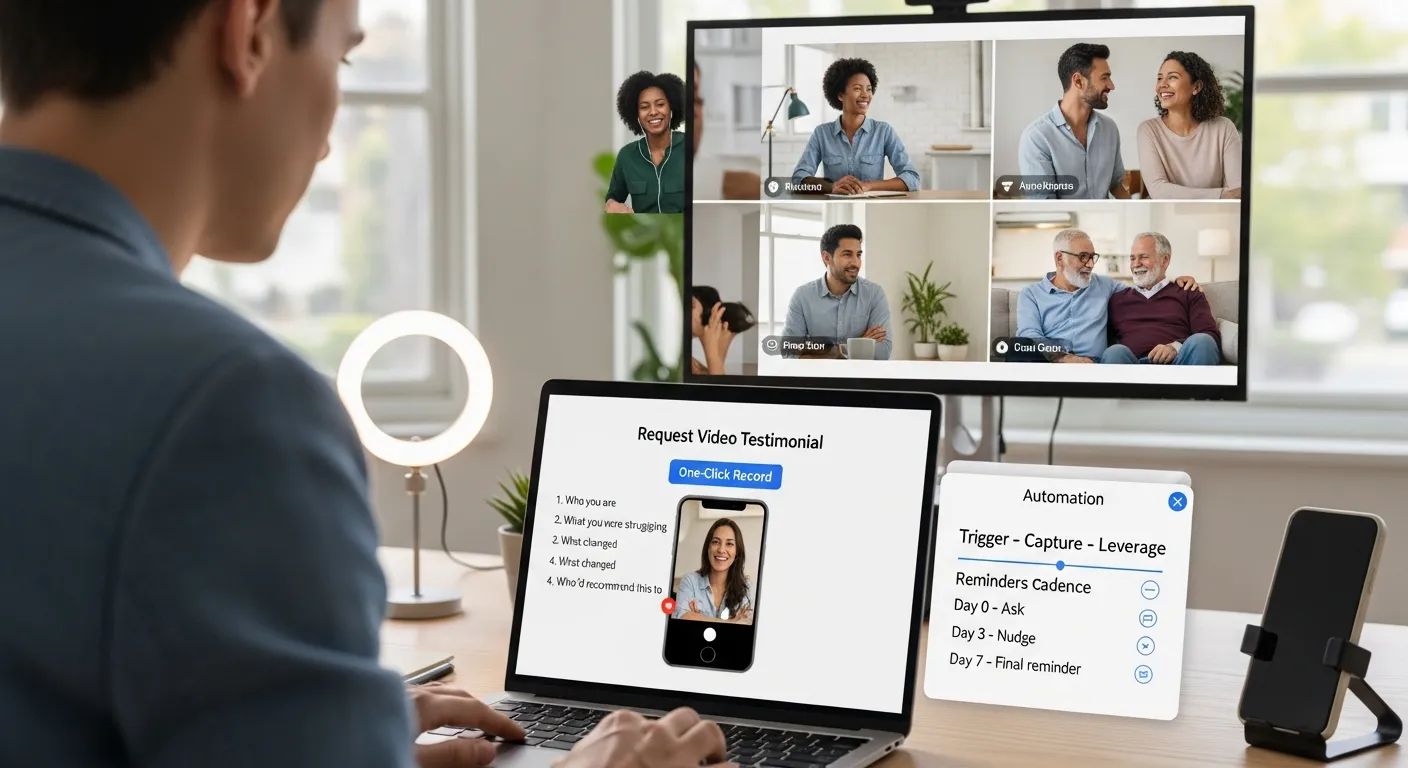
Think of your testimonial engine like a little assembly line: Trigger → Capture → Leverage.
You set it up once, then let automation and light follow-up do the heavy lifting while you run your business.
Ask framework
Step one is deciding who you ask and how you ask.
Instead of blasting every customer with the same generic “Can you leave us a review?”, you cherry-pick the people who are already fans:
- Long-term clients who’ve renewed with you
- People who just hit a clear milestone (closed on their home, finished treatment, hit savings goals)
- Anyone who gives you a 9–10 on an NPS or satisfaction survey
Then you make the ask about them, not you.
Example you can swipe and tweak:
“You’ve had such a strong outcome with our team, and I think your story could really help others feel confident choosing the right provider. Would you be open to recording a quick 60–90 second video on your phone? I’ll send a simple link with prompts, no editing or tech skills needed.”
Notice a few things:
- You reference their success.
- You frame it as helping “others like you.”
- You promise short and straightforward.
And keep the prompts specific, aim for three or four, max:
- Who you are and what you do
- What were you struggling with before
- What changed after working with us
- Who would you recommend this to
That’s it. No scripts, no teleprompters. Research backs this up: clips around 2 minutes or less feel digestible and perform really well, especially on mobile.
Once you’ve identified your happiest clients at the right milestone, pair your outreach with these video testimonial request templates (including initial asks, follow-ups, and situation-specific versions) to make the entire process feel personal, low-effort, and professional.
Simplification (Guided Capture)
Now, where almost everyone overcomplicates things is the capture step.
They send people to some clunky login portal or ask them to “just record something and send it over.” That’s how you end up with zero videos, or worse, a 7‑minute ramble you can’t use.
Your goal is ruthless simplicity:
- One-click recording. A link or QR code that opens directly to the camera in a browser, no apps, no accounts.
- On-screen prompts. Show those 3–4 bullets right above the record button so they’re not guessing what to say.
- Length guidance. “Aim for 30–90 seconds” usually gets you something tight and watchable.
- Light coaching. A quick line like: “Don’t worry about being perfect, authenticity is better than polished,” lowers anxiety fast.
You don’t need a studio. Your clients’ phones are fine. Focus on clear audio and decent lighting near a window, not cinematic lighting rigs.
One of my favorite stories: a solo financial planner in Dallas thought he needed to rent a studio. Instead, we had three of his happiest clients record from their home offices, earbuds in, laptops propped on books. Those “imperfect” videos outperformed his professionally shot brand video because they felt real.
Follow-up Cadence
Here’s the unglamorous truth: a big chunk of your best testimonials will come from the second or third reminder.
People aren’t ignoring you; they’re busy.
Try this simple cadence:
- Day 0 – Initial ask. Personal email or text with your link.
- Day 2–3 – Gentle nudge. “Just resurfacing this in case it got buried, no rush, your story would really help others.”
- Day 7 – Final reminder (optional incentive). “If you can record by Friday, we’ll send you a small thank-you gift.”
If incentives feel weird in healthcare or finance, think thoughtful, not spammy: a donation in their name, a handwritten note, or featuring them on your social channels.
And then, once a quarter, re-ask your top advocates who keep winning with you. Their updated stories become a timeline of results instead of a one-and-done snapshot.
(Do your customers keep putting off recording a testimonial? Learn how to fix it with our Customers Say Yes But Never Give Testimonials guide.)
Automation Setup: Tools & Integrations to Make Collection Passive
You don’t need another thing on your to‑do list. The magic is in wiring this into tools you already use.
Picture this: every time someone finishes treatment, closes on their home, or hits six months as a client, your system quietly sends a friendly video-ask, no manual chasing, no sticky notes.
Here’s how that looks in practice:
1. Pick a capture platform.
Tools like Boast, VideoAsk, StoryPrompt, Trustmary, or newer options like Share One give you branded pages where clients can hit record on their phone or laptop, upload, and consent in one flow.
2. Connect your CRM or billing.
In healthcare, that might be your patient management system. In real estate, your CRM or transaction software. In finance, your planning platform. You set simple triggers like:
- “Closed Won” → send testimonial invite
- “Treatment complete” → send invite 3 days later
- “NPS 9 or 10” → send invite same day.
3. Centralize your library.
Good tools auto-store each clip with the client’s name, segment (first-time buyer, surgical patient, high‑net‑worth client), and tags like “objections: cost” or “service: knee replacement.”
4.Build always-on displays.
From there, you or your team can:
- Drop video carousels onto landing pages
- Share short clips in nurture emails
- Arm your sales team with a mini-library of “objection busters.”
Set up well, this turns testimonials from a once-a-year fire drill into a quiet, always-running machine that feeds your marketing, sales, and SEO without needing you to remember a thing.
You know what’s the fastest way to create testimonials? By turning customer feedback into video testimonials. Read more on our guide.

Scripts That Maximize Response Rate
If you’ve ever stared at a blank email thinking, “How do I ask without sounding needy?”, steal these and adjust.
Initial email (post-win):
Subject: Quick favor? Your story could help others.
Hey [Name],
I’m so glad we were able to [specific win: get your closing done before school started/sort out that tax mess / get you back to running]. A lot of people in your shoes feel nervous picking the right [agent/advisor/provider].
Would you be open to recording a short 60–90 second video on your phone, sharing what it was like working together? Just click this link, no app or login, and you’ll see a few simple prompts on screen: [link]
Thanks either way, really appreciate you.
– [You]
Reminder (Day 2–3):
Subject: That quick video (excellent if not yet.)
Hey [Name], just bubbling this back up in case it slipped down your inbox.
Your story would really help others feel more confident choosing the right partner. Here’s that link again: [link]
Appreciate you,
– [You]
On-screen prompts for them:
- Your name and what you do
- What was going on before you worked with us?
- What changed after? Any specific results or moments?
- Who would you recommend us to, and why?
One more important piece: consent. At the end of the flow, include a simple checkbox like:
“I agree that [Business Name] can use this video for marketing purposes on their website, ads, and social channels.”
Clean, clear, and you’re covered.
Peek at our video testimonial script template for more ideas on what questions to ask your clients.
What Share One Automates For You
If all of this sounds great but you’re thinking, “Yeah… I still don’t have time to set it up,” that’s where a full-service option like Share One earns its keep.
Instead of you juggling tools, reminders, and editing, Share One acts like a done‑for‑you testimonial department.
Here’s what that looks like behind the scenes:
- Smart outreach. They help you define your “dream testimonial” segments, your happiest patients, your smoothest closings, and your most loyal investors, and then run targeted outreach, not random blasts.
- Guided capture pages. Clients land on a clean, branded page with prompts, timing guidance (aiming for that under‑2‑minute sweet spot), and tech that just works on any device.
- Follow-up, handled. Those reminder emails and texts? They’re scheduled and sent automatically, so you’re not manually chasing people between appointments.
- Editing and curation. Their team trims awkward starts, cleans audio, adds light branding, and pulls out short highlight clips you can reuse across your site and social.
- Easy embedding. You get simple snippets of code or widgets so you can drop rotating testimonial blocks onto your homepage, service pages, and landing pages without calling a developer.
One real example: a four‑location dental group was stuck at “a couple of old text reviews and one outdated video.” After moving to Share One’s managed setup, they built a library of 60+ short clips in a few months, organized by treatment, patient age, and common fears.
When they started placing the right videos on the right pages (nervous-patient stories on sedation pages, cost-worried stories on financing pages), they saw more form fills and fewer price objections on calls. Same team, same services, just better proof, everywhere.
If you want the benefits of a sophisticated system without becoming the system, this kind of end-to-end service is worth a serious look.
Common Mistakes & Contrarian Insights: What Most Guides Get Wrong
There’s a lot of bad advice floating around, so let’s clear a few things up.
1. Over‑producing everything.
You don’t need a Netflix‑level shoot. Hyper-polished, heavily scripted videos can feel like ads and hurt trust. Viewers lean in when they see real people, natural pauses, even the occasional “uhm.”
2. Treating all customers the same.
Blasting your whole list with the same ask wastes everyone’s time. Focus on your happiest, best‑fit clients and the moments when they’ve just had a win. Quality over quantity.
3. Letting videos gather dust.
Collecting stories is only half the job. If your best clips are hidden on one testimonial page, nobody clicks; they’re not doing anything for you.
Sprinkle them:
- Above the fold on key service pages
- Next to pricing or “Book a consult” buttons
- In nurture emails and sales follow-ups
4. Believing it’s “too expensive” or “only for big brands.”
Some of the most effective testimonial videos I’ve ever seen were shot on iPhones in noisy offices. Local and niche businesses often benefit the most because their clients want that personal, human touch big brands can’t fake.
Collect Video Testimonials with Share One to Build Trust and Convert
If you zoom out, collecting video stories from your clients isn’t about cameras or software; it’s about making it easy for happy people to say, “This worked for me,” in their own words.
When you add a simple 3‑step system (Trigger → Capture → Leverage), a thoughtful ask, and a bit of automation, you stop relying on random luck and start building a steady pipeline of proof that boosts conversions, calms buyer nerves, and even helps your SEO.
So here’s your next move:
- Pick one trigger event, like “project completed” or “deal closed”, and write a short ask email using the scripts above.
- Choose a capture tool or let a managed service like Share One handle the whole thing for you.
- Launch to your 10–20 happiest clients this week and watch what comes back.
If you’re ready to shortcut the tech, templates, and follow-up, visit our solutions page and see how we can build the testimonial engine for you, so your best clients can start selling for you 24/7.
Start Collecting Video Testimonials with Share One ➡️
Frequently Asked Questions
Why are video testimonials more effective than text reviews?
Video testimonials are more persuasive because prospects see real people, emotions, and specific results, which builds trust faster than a wall of text. Viewers of testimonial videos are 50–70% more likely to convert, and these clips also keep visitors on your site longer, quietly helping your SEO.
How do I systematically collect video testimonials without chasing clients?
Use a simple three-step system: set a trigger (project complete, treatment finished, deal closed), send an automated ask with a recording link, then leverage the videos on key pages and in sales follow-ups. Automation tools or services like Share One can handle outreach, capture, reminders, and storage for you.
What is the best way to ask clients to record video testimonials?
Ask right after a clear win, reference their success, and frame it as helping “others like you.” Keep it short: invite them to record a 60–90 second clip via a simple link with on-screen prompts. Emphasize that no scripts, special apps, or tech skills are required to collect video testimonials.
How long should a video testimonial be for best results?
Aim for 30–90 seconds, with an upper limit of around two minutes. Shorter clips feel more digestible, especially on mobile, and are easier to repurpose across landing pages, emails, and ads. Focus on clear prompts—before, after, and who it’s for—rather than long, unfocused storytelling.
Do I need professional equipment to collect video testimonials?
No. Modern phones or laptops are usually enough to collect video testimonials that perform well. Prioritize clear audio, decent natural lighting, and simple on-screen prompts over studio production. In many cases, slightly “imperfect” home or office recordings feel more authentic and trustworthy than highly polished brand videos.