Share One vs Vidlo: DIY Video Testimonial Software vs Done-For-You Storytelling
Compare Share One vs Vidlo to choose the right video testimonial solution. See pricing and when volume or conversion quality matters most for you today.
If you’re in healthcare, finance, or real estate, you already know this: people don’t buy from logos, they buy from people they trust. And nothing builds that trust faster than seeing a real client, on camera, saying “they changed my life” or “they saved me money.”
The catch is, you don’t have hours to chase clients, script questions, edit footage, and then pray it helps conversions. You want a video testimonials setup that fits your workflow and your budget, without turning you into a full‑time video producer. In this guide, you’ll see how Vidlo and Share One stack up, when to pick each one, and a dead-simple rule to decide in about 60 seconds.
Key Takeaways
- The core difference in Share One vs Vidlo is volume versus conversion quality: Vidlo is a DIY capture tool, while Share One is a managed conversion-asset service.
- Choose Vidlo if you want low-cost, self-serve video testimonial collection at scale using links and QR codes for fast, user-generated clips.
- Choose Share One if each client is high value and you need professionally guided interviews that turn into polished, conversion-ready story assets.
- Vidlo saves money on software but demands your time for prompts, approvals, editing, and publishing, whereas Share One minimizes your time by handling outreach, interviewing, and production.
- For ecommerce and UGC-heavy brands, Vidlo works best, while high-ticket, trust-heavy sectors like healthcare, finance, and real estate see higher ROI with Share One.
- Smart teams often combine both: use Share One for a core library of hero testimonials that close deals, then layer Vidlo on top for ongoing social proof at scale.
Quick Verdict
Let’s start with the punchline so you’re not scrolling forever.
Choose Vidlo if…
You want a DIY testimonial tool and you care most about volume.
You’re thinking things like:
- “I just need a lot of quick clips for social.”
- “Budget is tight, I’m okay doing the grunt work.”
Vidlo gives you QR-code and link-based capture, simple landing pages, and basic embeds. It’s built for user-generated style videos at scale, think lots of short, raw customer shoutouts you can sprinkle on product pages, emails, and Instagram.
If you’re a lean ecommerce brand, a local clinic wanting lots of patient reactions, or a solo agent who loves tinkering with tools, Vidlo fits that scrappy energy.
Choose Share One if…
You want a managed video testimonial service and you care most about conversion quality.
You’re thinking more like:
- “Each new client is worth thousands, I can’t afford weak proof.”
- “I want videos that my sales team uses to close deals.”
Share One runs guided interviews, handles outreach and scheduling, and delivers professionally edited story assets. It’s built for high-ticket, regulated, or trust-heavy offers, private medical practices, wealth management firms, real estate teams selling higher-end homes, B2B services.
The fastest decision rule
Ask yourself one question:
Do I care more about volume or about conversion-ready storytelling?
- If your answer is volume → Start with Vidlo.
- If your answer is conversion quality → Start with Share One.
You can absolutely use both over time, but that one question usually makes the first move obvious.
Know where to host your testimonials so it doesn’t slow your website down with our guide, Where to Host Video Testimonials.
The Fundamental Split: Video Collection Tool vs Conversion Asset Production
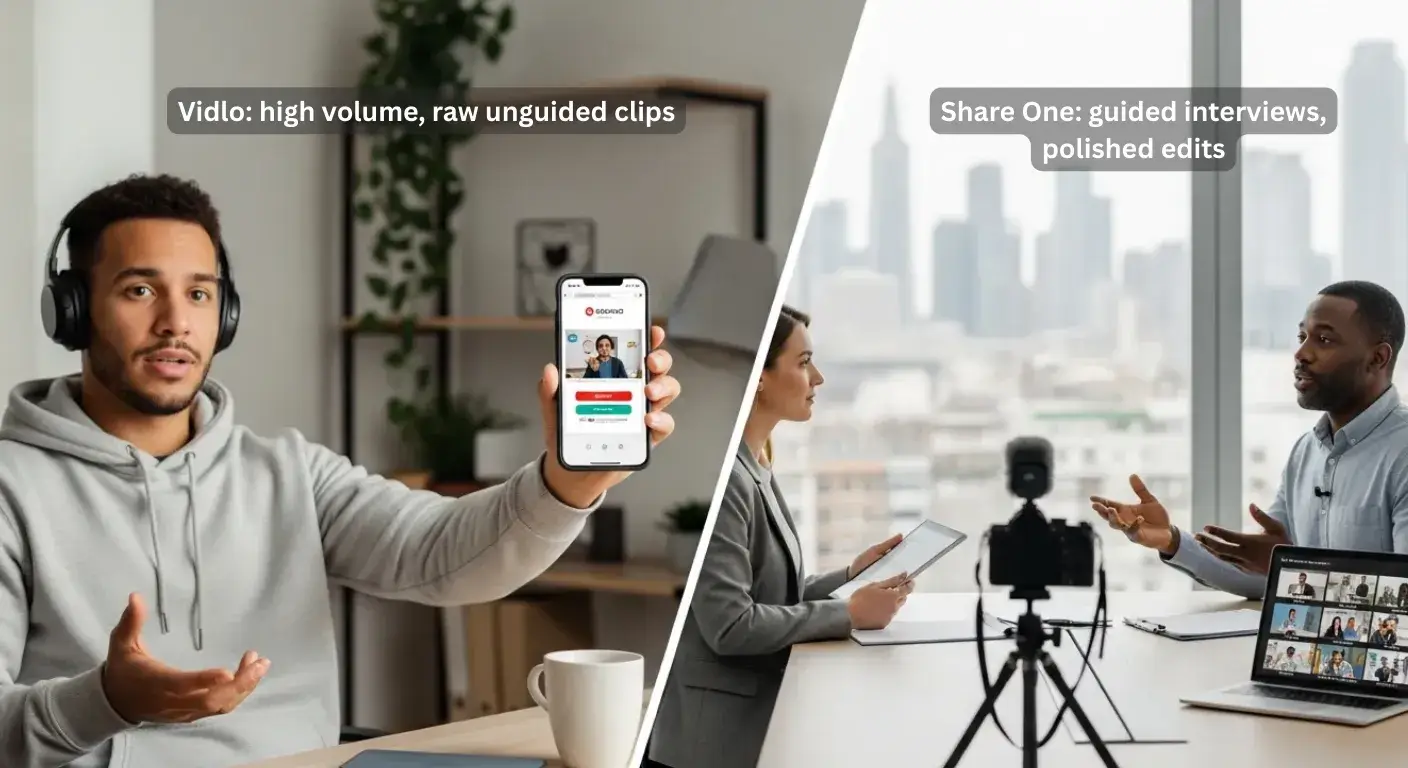
Here’s the core confusion most buyers run into:
You’re not just choosing “video testimonial software.” You’re choosing between a collection tool and a conversion asset production partner.
Vidlo in one sentence
Vidlo is a self-serve UGC platform: customers scan a QR code or click a link, land on a simple branded page, hit record, and you get a pile of clips you can trim and embed.
Think of it like putting a digital “comment box” in front of your happiest clients, except it records video instead of text.
Share One in one sentence
Share One is a done-for-you testimonial engine: they handle outreach, run guided interviews, and deliver polished edits plus a “delivery kit” (formats for your site, ads, email, and sales decks).
It’s less “tool in your tech stack” and more “mini production team on speed dial.”
Why your “input quality” determines output ROI
Here’s the unsexy truth about video testimonials:
Unguided input = unpredictable ROI.
With a DIY tool like Vidlo, customers are talking to their phone, alone. No coaching. No one pulling the gold out of their story. Some people will crush it. Others will ramble for 7 minutes about parking.
With Share One, there’s a professional interviewer who:
- Pulls out a clear before → after story.
- Surfaces specific objections your prospects worry about.
- Guides clients to put real emotion into plain language.
That story arc, from fear to relief, confusion to clarity, is what moves the needle on conversions, especially for higher-ticket offers.
So the question becomes:
Do you want lots of cheap, decent input (Vidlo) or less input, but guided and powerful (Share One)?
That’s the ROI lever most people miss when they’re only comparing price tags.
Workflow Comparison
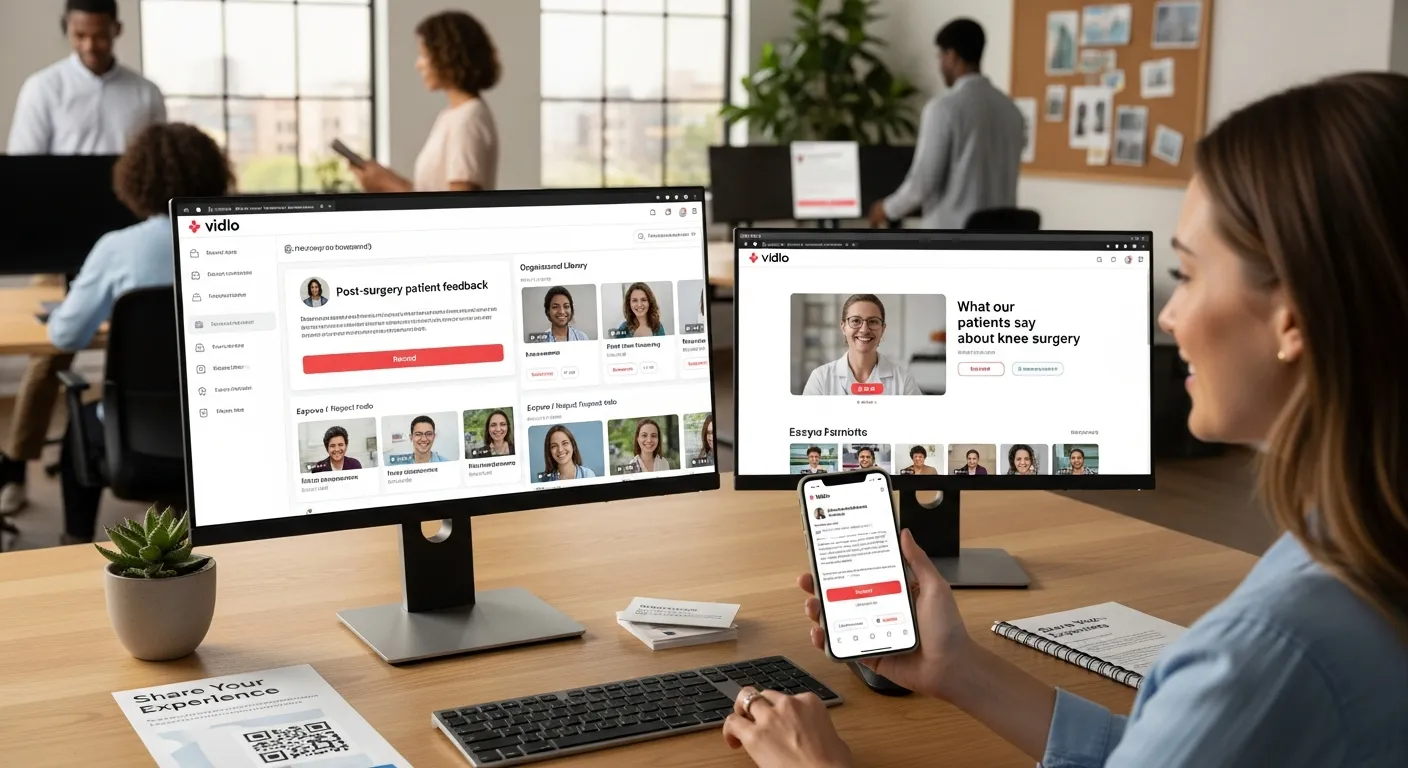
Let’s walk through what your life looks like with each tool.
Vidlo workflow
Vidlo shines when you want to set things up once and let customers record on their own.
Campaign setup (link/QR, landing page)
You:
- Create a campaign inside Vidlo (for example: “Post-surgery patient feedback” or “New home buyer testimonials”).
- Generate a QR code or link.
- Drop that QR on checkout receipts, appointment cards, table tents, or a 1-pager your loan officers hand out.
Vidlo gives you a basic branded landing page where customers see a short prompt and a big record button. No app to download, which matters a lot if your audience isn’t super techy.
Customer records → you approve/tag
Clients hit record on their phone, talk, and submit.
Those clips land in your Vidlo dashboard. You:
- Moderate: approve, reject, or ask for a redo.
- Tag: label by product, service line, location, or persona (“first-time homebuyer,” “knee replacement,” “retirement planning”).
- Start building a testimonial library instead of random files buried in your camera roll.
Embeds + gallery publishing
Once you’ve got approved videos, you can:
- Generate embed codes for specific clips, perfect for service pages (“What our patients say about knee surgery”).
- Publish simple galleries or landing pages that showcase multiple videos.
You’re still doing the strategy and curation. Vidlo gives you the pipes: you decide how to turn them into something persuasive.
Share One workflow
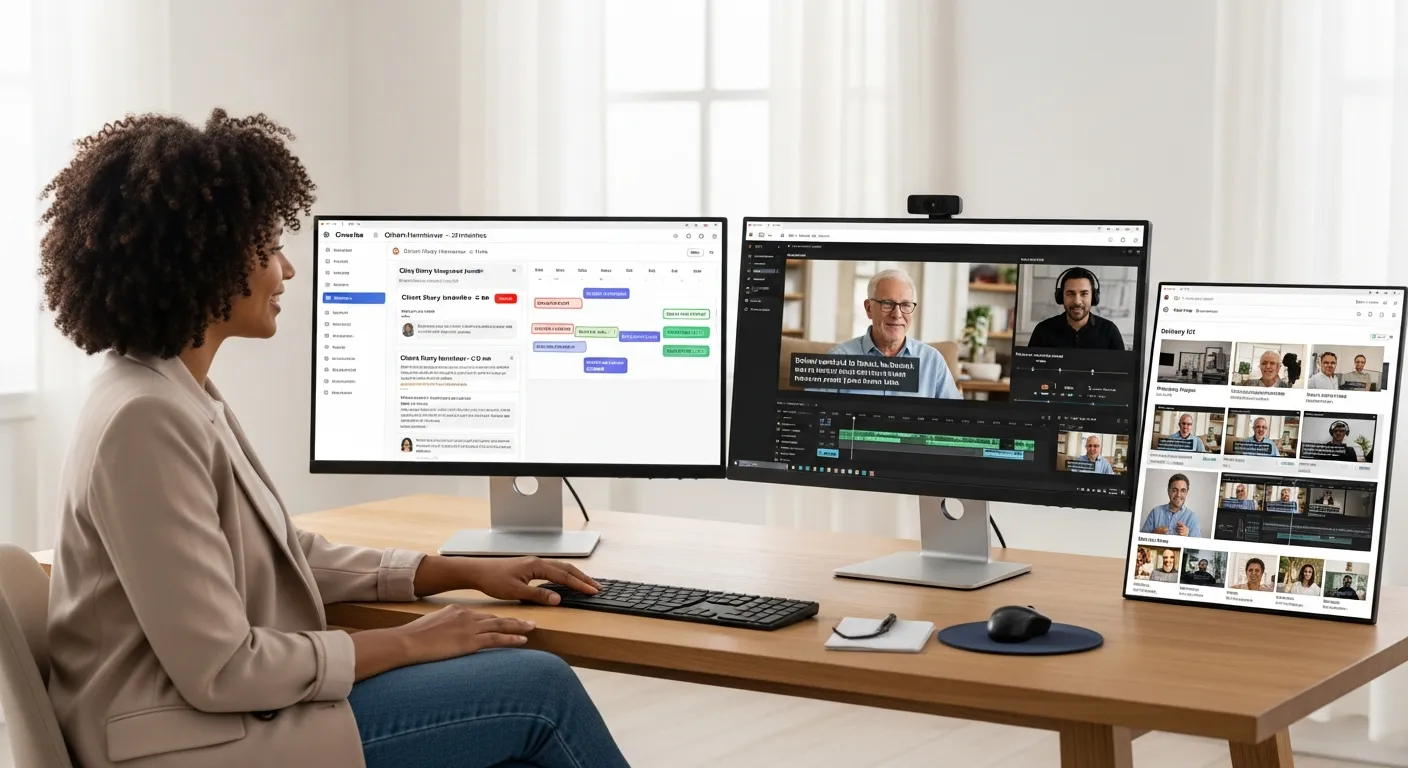
Share One is what you reach for when you want to stay in your zone of genius and let someone else handle the storytelling.
Outreach + scheduling
You hand Share One a list of happy clients, patients, borrowers, buyers, long-term investors.
They handle the heavy lift:
- Personalized outreach emails or messages.
- Friendly reminders so your clients show up.
- Scheduling across time zones, stacked around your calendar.
Instead of chasing people, you get a calendar full of “Client Story Interview – 20 minutes” sessions.
Guided interviews
During each session, a professional interviewer walks your client through a conversation designed for conversions, not just compliments.
They’ll dig into:
- What life looked like before working with you (pain, confusion, risk).
- What made them hesitate or almost say no (price, trust, timeline).
- What shifted after (results, feelings, hard numbers where possible).
For a financial advisor, that might sound like:
“Before I worked with Sarah, I was terrified of retiring too early. Now I know exactly what my next 10 years look like.”
Those lines are gold on a landing page or in a sales call.
Editing + delivery kit
From there, Share One’s editors turn raw interviews into:
- Polished cuts: 60–120 second stories with clean audio, tight pacing, and clear subtitles.
- Multiple formats: landscape for your site and YouTube, square for LinkedIn, vertical for Reels/TikTok/Shorts.
- A delivery kit: filenames, thumbnails, suggested headlines, and usage ideas (“Use this one on your pricing page,” “Perfect for your pre-consult email”).
End result: instead of “some videos in a folder,” you get ready-to-deploy conversion assets that your marketing and sales teams can use the same week.
Feature Table
Here’s a side-by-side snapshot so you can see the tradeoffs at a glance.
FeatureVidlo (DIY tool)Share One (managed service)
Capture methodSelf-serve link / QR code, no app requiredScheduled guided interviews over video call
Story coachingNone built-in: you provide promptsPro interviewer, objection-driven questions, story structure
Landing pages & brandingSimple branded pages, limited customizationBespoke intro/outro, story framing, on-brand visuals
EditingBasic trimming: you own the cutsNarrative editing, color, sound polish, multiple lengths
Embeds / galleriesTestimonial embed widget, basic gallery pagesNot just embeds, placement strategy and kits for sales & ads
AnalyticsViews, plays, basic CTRFocus on attribution and usage: where stories lift conversions
IntegrationsCMS / website, some ecommerce & CRM connectionsPlays nicely with major CMS, CRM, and ad platforms via exports
Time required from youHigher, you manage prompts, approvals, publishingLower, you approve list + final cuts: Share One runs the engine
Ideal forVolume UGC, social proof at scaleHigh-stakes trust, conversion-focused case stories
Now let’s break down a few of those rows.
Capture friction (link/QR, no app)
Vidlo wins on instant capture. Clients can be in your waiting room, at closing, or leaving your office, they scan, record, done.
Share One adds a bit more friction upfront (scheduling a call) but drastically reduces emotional friction during recording because someone is there guiding them.
Branding & landing pages
Vidlo lets you tweak colors, logo, and basic copy. It looks good enough for most SMB brands.
Share One goes deeper into story branding, the video itself feels on-brand, from tone to structure, not just the page around it.
Embeds / galleries
With Vidlo, you embed widgets or galleries on your site for SEO and social proof. Great for boosting dwell time and engagement.
Share One’s assets often get used on sales pages, pitch decks, and paid ads, not just as a gallery. The difference is how intentional each story is.
Editing (basic vs pro)
Vidlo = you or your team are the editors. Fine if you’re comfortable inside tools like CapCut or Premiere, or okay with rougher cuts.
Share One = agency-level editing built in. That matters when a single new client is worth $3k, $10k, or more.
Analytics
Vidlo will show you if people are watching.
Share One’s value is more about “this specific story helped close deals” feedback, sales reps saying, “When I sent Emily’s story, the buyer signed.”
Integrations
Both can get your videos on your site and into your CRM workflows.
The bigger question is: Do you want “just get the file in” tech, or help deciding where each story should live? Vidlo is more the former: Share One leans into the latter.
Pricing & ROI
Let’s talk money, because that’s usually where your brain goes next.
Vidlo pricing tiers (what “$39/mo” really means in limits)
Entry-level Vidlo pricing (for example, around $39/month) sounds wonderfully painless.
But under the hood you’ll usually see:
- Caps on total videos or active campaigns.
- Limits on storage or branding options.
- Zero coverage for the human labor of planning prompts, chasing usage rights, editing, and publishing.
So yeah, the subscription is cheap, but expect hidden time costs that live on your calendar.
Share One pricing model (time saved + asset value)
Share One typically prices by project or package: a set number of interviews, edits, and deliverables.
On paper it’s more expensive. In practice, you’re paying for:
- Hours you don’t spend scripting questions, begging for reshoots, or fiddling in editing software.
- Assets that can run for months or years on your site, in nurture flows, and in ad campaigns.
- Reduced risk of “we recorded 10 videos and none are usable,” which happens more often than people admit.
The real unit to watch is cost per usable conversion asset, not cost per raw clip.
ROI scenarios
Ecommerce / UGC-style use
If you’re selling supplements, skincare, merch, anything where AOV is modest, Vidlo makes more sense.
You want lots of quick, authentic clips sprinkled everywhere: product pages, emails, TikToks. Volume wins.
High-ticket service conversions
If you’re a specialist surgeon, a financial planner, or a real estate team selling $800k+ homes, a single new client can cover an entire Share One package.
Here, you want 5–10 killer stories that answer fears and objections. That’s Share One’s home turf.
Paid ads: “polished story beats raw clip”
For paid ads, scrappy UGC is great… until it fatigues. A professionally structured story often outperforms raw clips over time because people watch to the end.
If you’re putting serious money into Meta, YouTube, or programmatic, polished story assets from Share One usually win the ROAS battle.
Best Use Cases
Vidlo best for
Use Vidlo when you:
- Run a lean team and love DIY workflows.
- Need lightweight UGC at scale for social and product pages.
- Care most about getting more people on camera, fast.
Share One best for
Use Share One when you:
- Sell high-ticket, regulated, or trust-heavy offers (healthcare, finance, real estate, B2B services).
- Want sales enablement testimonial videos your reps can drop into emails and live calls.
- Need someone to own the whole process from outreach to final edit.
When Vidlo is the wrong tool (story needs coaching)
Vidlo is the wrong move when:
- Your offer is complex and prospects have serious risk questions.
- Buying decisions involve multiple stakeholders (spouses, boards, committees).
- You can’t afford vague praise, you need sharp, clear stories.
In those cases, you want coached, guided interviews, not just “talk to the camera and hope it lands.” That’s exactly where Share One shines.
Migration / Switching
You’re not locked into one forever. Smart teams layer these tools.
Vidlo → Share One (how to salvage your best clips)
If you’ve been using Vidlo for a while, you probably have some hidden gems buried in your library.
A realistic path:
- Audit your Vidlo clips, find customers with strong before/after stories.
- Hand those names to Share One.
- Have Share One re-interview them to go deeper, then re-edit any raw UGC you love into a polished “hero story.”
You keep the volume from Vidlo, but now you also have a few flagship videos that anchor your site and sales deck.
Share One → Vidlo (how to scale volume after you have hero assets)
Flip side: maybe you start with Share One, get 5–8 incredible stories, and your core funnels lift nicely.
Next step:
- Bring in Vidlo to run QR campaigns at events, open houses, checkouts, or follow-up emails.
- Use it to collect long-tail proof: quick shoutouts, niche scenarios, smaller wins.
Your Share One pieces do the heavy lifting. Vidlo fills in the edges with extra social proof.
Final Recommendation
If you remember nothing else, remember this:
- Vidlo is your volume machine, cheap, flexible, DIY, great for lots of quick social proof.
- Share One is your conversion engine, managed, guided, and built to create a small library of videos that close deals.
If every new client or case is worth serious money, lean into Share One first and let them craft your core stories. Layer Vidlo in later if you want more casual proof at scale.
Ready to put real faces and voices behind your brand instead of another stock photo?
Book a consultation with Share One today and start turning your happiest clients into on-camera stories that sell for you 24/7.
Start with Share One
Frequently Asked Questions
What is the main difference between Share One and Vidlo?
The key difference is focus. Vidlo is a DIY video testimonial and UGC tool that helps you collect lots of quick, self-recorded clips via links or QR codes. Share One is a managed testimonial service that runs guided interviews and delivers polished, conversion-focused video assets.
When should I choose Vidlo instead of Share One?
Choose Vidlo when you care most about volume, need lots of social-proof clips for product pages and social media, and are comfortable doing your own strategy and editing. It’s ideal for ecommerce, local businesses, and lean teams that want scrappy, self-serve video testimonials.
When is Share One better than Vidlo for video testimonials?
Share One is better when each new client is high-value and trust is critical like healthcare, finance, real estate, and B2B services. It handles outreach, interviewing, and pro editing to create a small library of sharp, story-driven videos your sales and marketing teams can deploy immediately.
How do I quickly decide between Share One vs Vidlo?
Ask yourself: do I care more about testimonial volume or conversion-ready storytelling? If volume wins, Vidlo is usually the better starting point. If you need a few powerful, guided client stories that directly address objections and close high-ticket deals, start with Share One.
Can I use both Share One and Vidlo together in my marketing?
Yes. Many teams start with Share One to create 5–10 flagship, conversion-focused stories, then add Vidlo to scale everyday social proof. Share One supplies hero videos for sites, decks, and ads; Vidlo fills in with quick UGC-style clips from QR codes at checkouts, events, or offices.
Is a DIY video testimonial tool like Vidlo enough for high-ticket offers?
A DIY tool can work, but for complex or high-risk decisions, unguided customer clips often lack clear before-and-after stories and objection handling. A managed service like Share One typically delivers stronger ROI for high-ticket offers because interviews are coached and edited specifically to drive conversions.